1
AI video generation from prompts
Generates videos from text and images, but reviewers report frequent mismatch with prompts and unstable results.
AI video and image generator with a credit-based model that promises impressive trial results but often delivers inconsistent quality, heavy credit burn, and weak support once a paid subscription starts.
Independent review — we test tools ourselves and analyze public user reviews. How we test.
Luma Labs shows flashes of strong AI generation during trials and on good days, which some users find adequate for very basic videos. Once money is involved, reviews describe highly inconsistent output, aggressive credit consumption, and frequent technical issues. Billing practices, cancellation friction, and near-absent support are recurring complaints, with several users alleging deceptive behavior. This platform currently fits only experimental tinkerers willing to risk money and time, not anyone with client work or tight budgets.
BasedLabs AI is a browser-based creation hub that competes with Luma from a different angle. Where Dream Machine centers on its own Ray video models, BasedLabs bundles image generation, video, face swap, and voice cloning into one workspace aimed at social media output. Unlike tools that specialize in only one media type, it provides an integrated suite that covers images, video, and audio.
The pitch is speed and breadth over depth. A creator can write a script, generate a clip, swap a face, and add a cloned voiceover without leaving the tab or touching editing software.
Two things set it apart from Luma for a US creator weighing options. BasedLabs markets itself as an unrestricted platform that generates both SFW and NSFW visuals with no content limitations, a policy Luma does not share. It also runs niche generators Luma has no equivalent for, including an AI Vlog Generator with characters like Yeti and Bigfoot and an AI ASMR video generator.
Generates videos from text and images, but reviewers report frequent mismatch with prompts and unstable results.
Metered credits per generation, widely criticized for burning balances extremely fast with minimal usable footage.
Trial often praised for good results, yet many report paid plans delivering worse quality afterward.
Higher settings such as Ray 3 reportedly consume huge credits and often produce hideous or unusable clips.
Scene-planning bot occasionally praised, but some say it loops useless generations and drains credits.
Web app described as obtuse with missing subscription pages, mobile app criticized for difficulty adding media.
Subscriptions with overspend controls exist, yet users highlight dark patterns and unreliable overspend behavior.
API can keep working after account issues, but account linking problems and no support contact are noted.
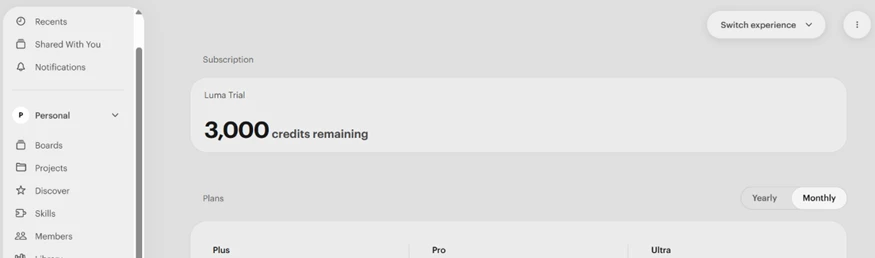
I ran Dream Machine on a fresh Luma account to see how the current Ray models behave in real use rather than on a spec sheet. My account came with a 3,000-credit trial, which was enough to test a handful of prompts across video, image, and audio before the meter ran low. Everything below came from that single trial, generated on September 15, 2026, on the Ray3.14 and Ray3.2 models.
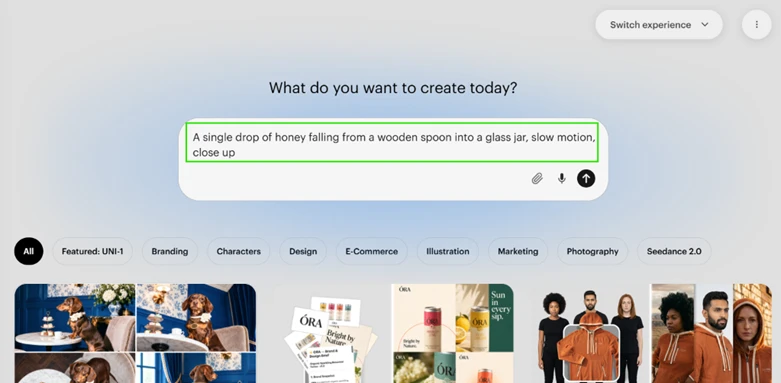
My first test targeted the thing Luma built its reputation on. I asked for a macro slow-motion shot of honey dripping off a spoon into a jar.
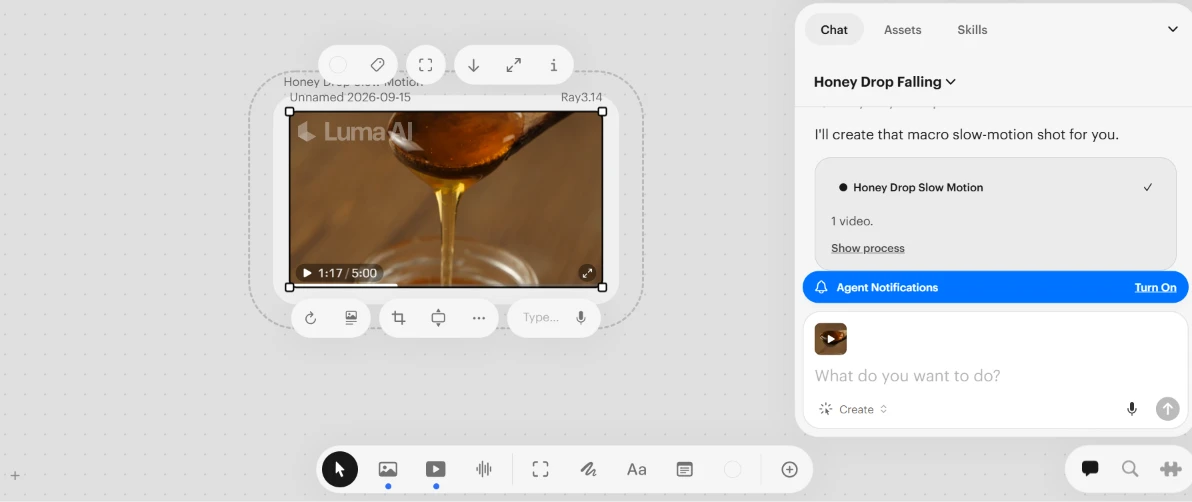
The output nailed the weight and viscosity of the liquid. Honey stretched, thinned, and pooled the way it does in a real kitchen, and the light passing through it looked convincing. One thing did not match my prompt. I asked for a single drop and got a full spoon pouring a continuous stream instead. The motion was excellent, but the prompt adherence slipped on a specific detail I had spelled out.
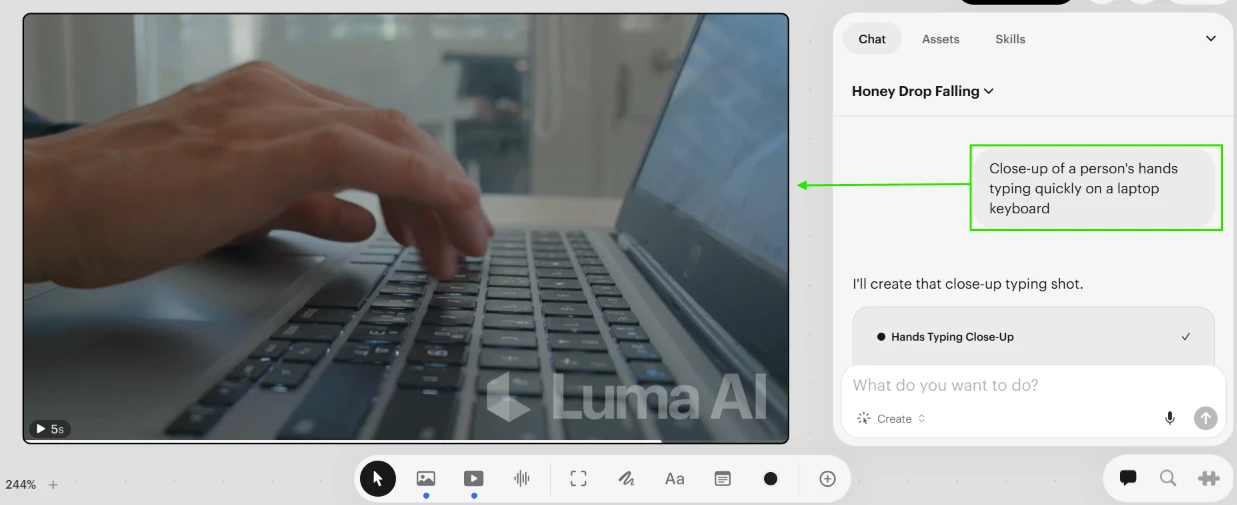
I pushed further with a close-up of hands typing on a laptop keyboard, since fingers are where most video models fall apart. This clip held up better than I expected. Across the frames I checked, the fingers kept their count and the hand moved naturally over the keys without the melting or fusing that plagues a lot of generated footage.
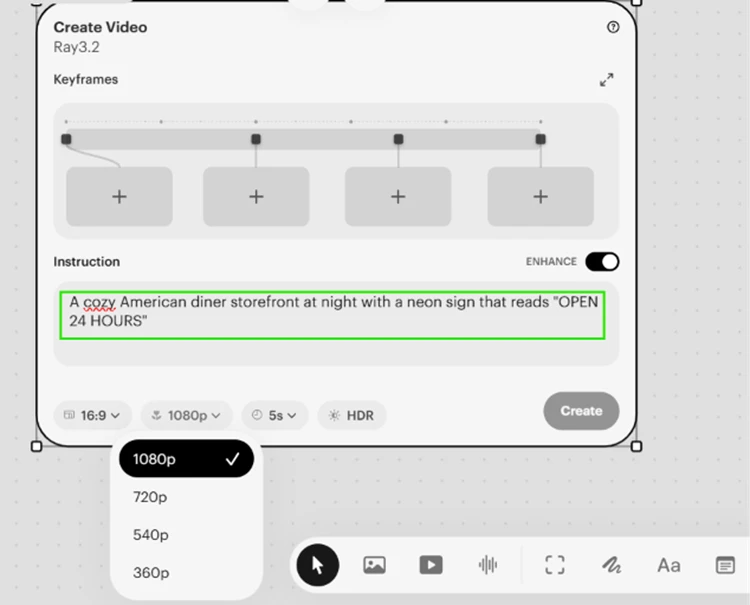
A lot of guides claim the free experience caps out at 720p. My trial told a different story. The Create Video panel let me pick 1080p and even offered an HDR toggle on Ray3.2, so resolution was not the wall I expected.
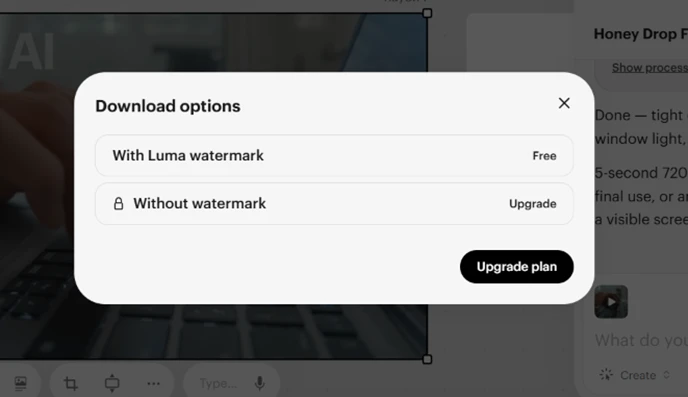
The real friction showed up at export. Downloading a clean file is a paid action. The free download carries a Luma watermark burned into the frame, and removing it means upgrading.
On-screen text is a known weak spot for video models, so I prompted an American diner at night with a neon sign reading OPEN 24 HOURS. What happened next says as much about Luma’s interface as it does about the model.
The Luma Agent read my request, decided on its own to make a still image rather than a video, and routed the job to Nano Banana Pro instead of a Ray video model. I never chose any of that. The result was a clean, photoreal diner with perfectly legible neon text.
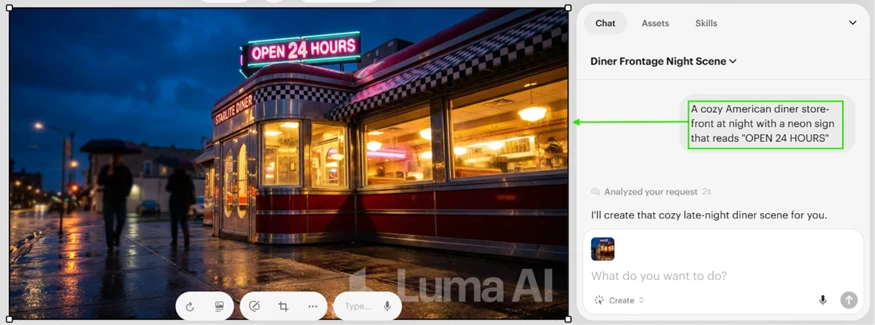
That auto-routing cuts two ways. A beginner gets a good-looking result without knowing which model to reach for. Anyone who wanted a video with moving neon got something else entirely, generated on a model and a media type they did not select. It is a convenience feature with a cost to control.
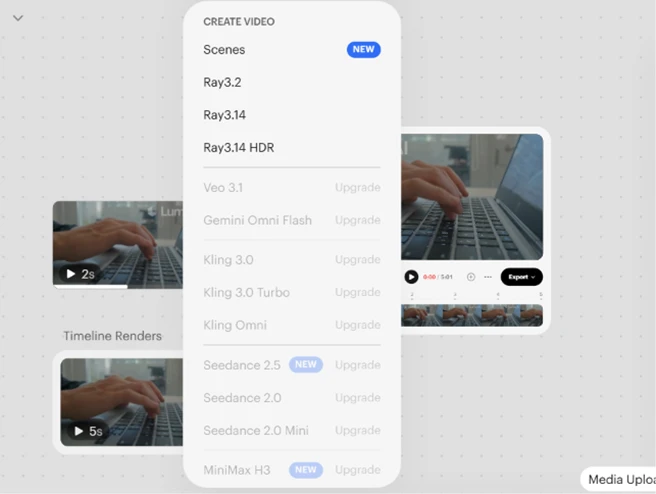
The model menu makes the range clear. Luma’s own Ray3.2, Ray3.14, and Ray3.14 HDR run on the trial, while Veo 3.1, the Kling family, Seedance, and MiniMax all sit behind an upgrade prompt.
Credits drain faster than the 3,000 headline suggests, and the usage log shows why. A single Ray3.14 video cost 200 credits. A separate audio clip through ElevenLabs Music ran 17. The Nano Banana Pro image came to 45.
The line items I did not expect were the agent chats themselves, at 65 and 50 credits. Talking to the Luma Agent to set up a job spends credits on top of whatever the render costs. Two rounds of setup can quietly cost more than a short video.
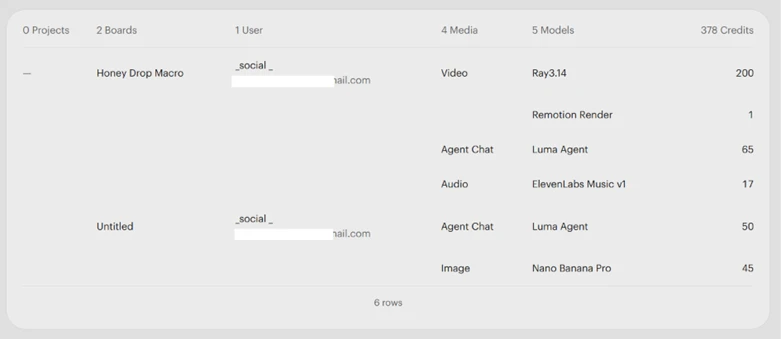
After a few prompts, a music clip, and some back-and-forth with the agent, the balance had dropped to 378. That pace tells you the trial is built for evaluation, not production.
| Dimension | Our test | User signal | Verdict | Composite |
|---|---|---|---|---|
| Output Quality Accuracy, stability, visual fidelity | 3 | 2 | Weak | |
| Ease of Use Interface clarity, workflow friction | 3.5 | 2.5 | Weak | |
| Value for Money Credits versus usable results | 2 | 1.5 | Weak | |
| Reliability Uptime, queue times, generation success | 2.5 | 2 | Weak | |
| Customer Support Speed, refunds, problem resolution | 1.5 | 1 | Weak | |
| Billing Transparency Trials, cancellation, extra charges | 2 | 1.5 | Weak |
Toolscopia uses cookies to keep you signed in, remember your preferences, and understand how our reviews get read. Analytics are anonymous. See our privacy policy for the full detail.






Comments 0
Join the discussion and share your perspective.
Sign in to post a comment and reply to other readers.
No comments yet
Be the first to share your perspective on this tool.