1
Image upscaling quality
Frequently praised for sharp, realistic, high detail outputs, even on low resolution or blurry images.
AI image and video upscaler aimed at creatives, designers, and visual professionals who need sharper, more realistic outputs fast, but must tolerate fragile billing, subscription, and reliability practices that several paying customers describe as risky.
Independent review — we test tools ourselves and analyze public user reviews. How we test.
Image upscaling quality is widely praised, with many reviewers calling results realistic, detailed, and a clear upgrade over competitors. Interface and workflow are described as straightforward and fast for day to day creative work. However, billing changes, refund refusals, subscription cancellation friction, and reports of downtime or broken features show serious reliability and trust issues. Pricing also feels high to some given these risks. Best suited to visual professionals who prioritize output quality over billing stability and can tolerate potential service headaches.
Lupa AI is an aggregator, not a single model. Rather than train its own engine, it puts a roster of third-party generators behind one interface and one token wallet, so you can switch between Google's Nano Banana, ByteDance's Seedream, OpenAI's GPT Image 2.5, and its own photoreal model Aros without juggling separate subscriptions. The suite covers four jobs: image generation, video creation through models like Seedance and Kling, editing, and upscaling.
Its differentiators sit in the smaller tools. Relight changes how a scene is lit after the fact. Angles regenerates a subject from new perspectives, and Space Motion animates a still room. An MCP integration also lets you trigger Lupa from inside Claude or ChatGPT, which few competitors offer.
The catch is the economics. Everything runs on tokens priced per generation, and a free account starts at zero, so the platform is best understood as a paid tool with a shop window rather than a free one. For a creator who bounces between models every week, the appeal is consolidation: one balance and one login across many engines.
Frequently praised for sharp, realistic, high detail outputs, even on low resolution or blurry images.
Initially included in mid tier, later moved to higher tier, causing frustration for existing subscribers.
Often commended for fixing distorted AI faces, though some found results too clean or artificial.
Interface widely described as easy, intuitive, and beginner friendly, with simple workflows and clear demo.
Many users report fast processing, but some experienced very slow or failing uploads at busy times.
Strongly criticized, with missing billing options, difficult cancellations, and confusing account states.
Credits help control usage but several users complained about credits disappearing after technical issues.
Support often described as unresponsive or unhelpful, especially around refunds and billing problems.
Some call it overpriced, while satisfied users feel quality justifies cost despite subscription concerns.
Lupa AI leads with a promise. The homepage headline calls it the simplest all-in-one AI creative platform, and the button underneath reads Get Started for free.
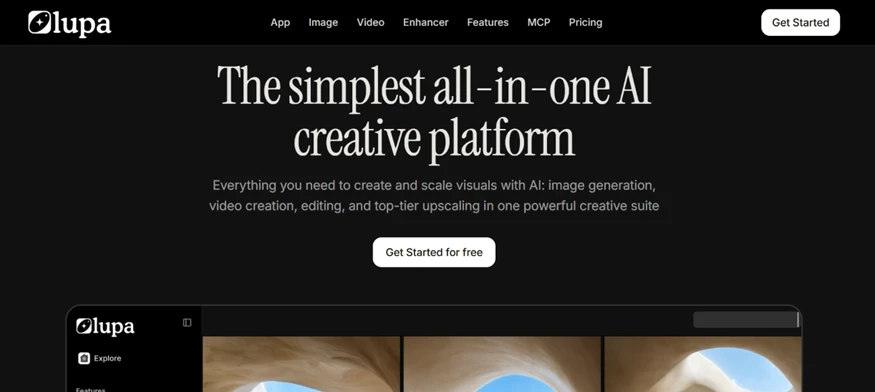
I took the button literally and created an account. The workspace loaded with a token balance of zero, and a banner in the corner said so without ambiguity: Credits are running low. All credits used. I had generated nothing yet. The account simply arrives empty.
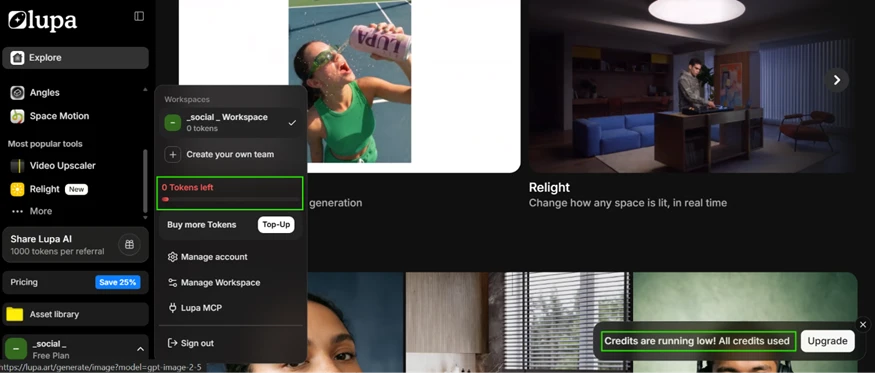
That one detail decides everything else, because each creative action on Lupa is paid for in tokens.
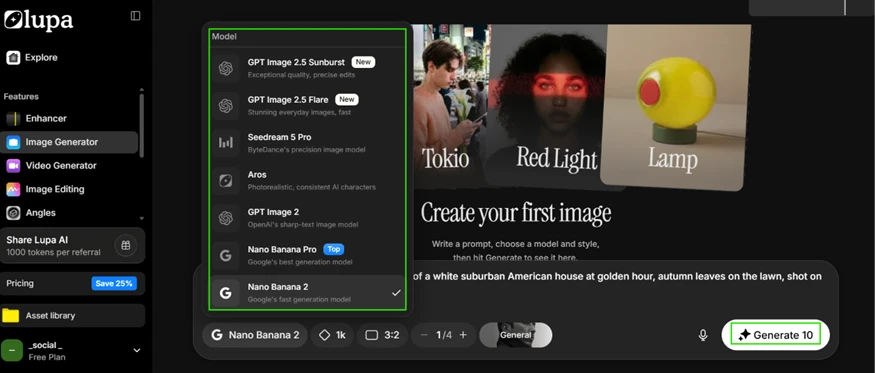
The Image Generator itself looks well stocked. Its model picker lists seven options, among them GPT Image 2.5 Sunburst, Seedream 5 Pro, Aros, GPT Image 2, and two Nano Banana variants. The breadth supports the all-in-one claim on paper.
The obstacle is the price on the Generate button. With the cheapest model selected, Nano Banana 2, one run costs 10 tokens. A fresh free account holding zero tokens can therefore produce zero images.
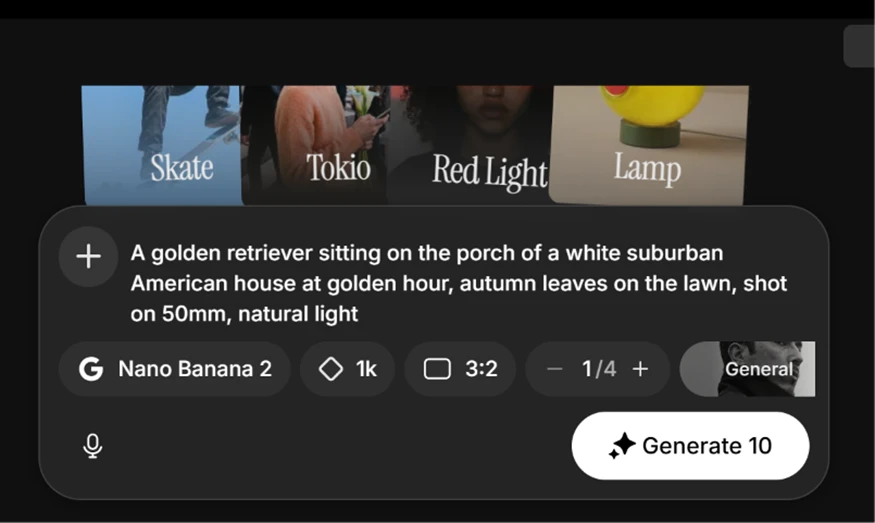
I entered a full prompt anyway to watch the failure happen. My text was: A golden retriever sitting on the porch of a white suburban American house at golden hour, autumn leaves on the lawn, shot on 50mm, natural light. I pressed Generate. No image came back. The upgrade wall did.
Lupa does offer a way to earn tokens without paying, and it runs entirely through referrals. Share your invite link, and anyone who signs up through it receives 100 tokens. You, the referrer, collect 1,000 tokens, but only after that person subscribes to a paid plan. The share panel tracks this bluntly, showing one signup and zero conversions on my own attempt.
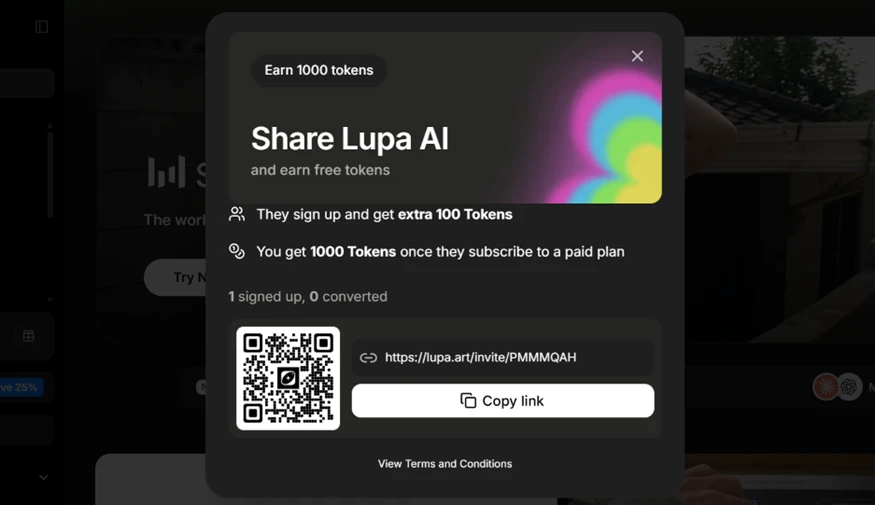
There is an obvious hole here, and I walked straight through it. I invited a second email address of my own, and that account landed with 100 tokens sitting in the balance.
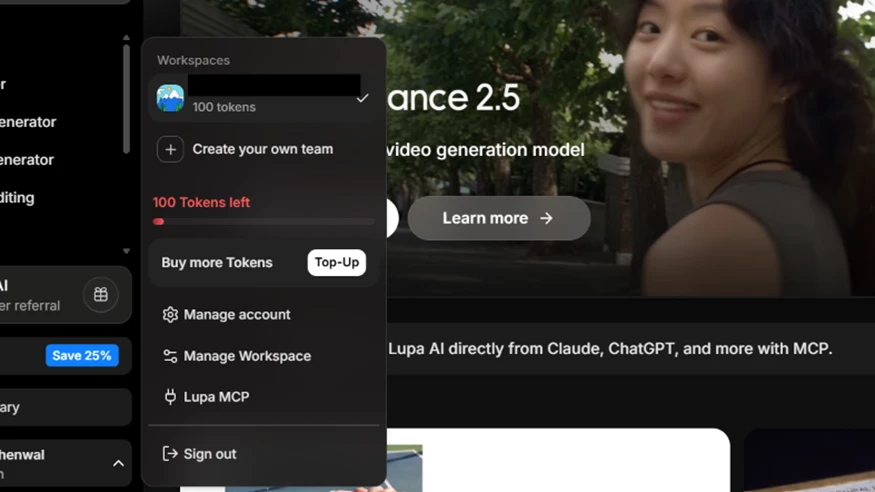
So the free experience is not free in any practical sense. It is referral-funded, and the referral system rewards a self-invite just as readily as a genuine one.
With 100 tokens in hand, I moved to Image Editing. I uploaded a photo from my own device. After brushing over the subject, I typed a plain instruction: remove the selected area. The button quoted the job at 25 tokens, well within my balance. Clicking it did not begin the edit. It redirected me to the pricing page. My balance stayed at 100, nothing spent.
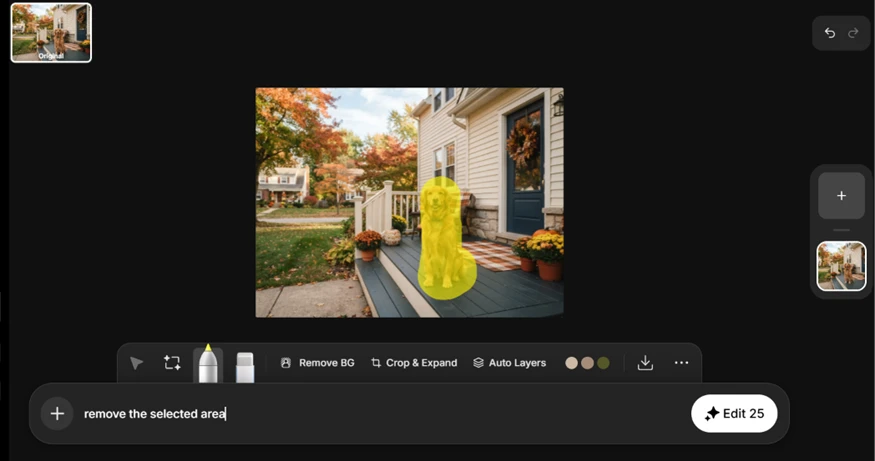
That single result reframes the whole free tier. The block had nothing to do with running low on tokens. Image Editing is reserved for paid plans, and no amount of referral tokens buys entry to it.
Printing a specific 25-token price on a button that then refuses the work and routes to checkout is misleading, since a first-time user reads that number as a charge rather than a locked door.
Across both accounts, I never completed a single generation or edit on the free plan.
The pricing page explains why the free tier feels like a demo reel with the sound off. Four paid tiers are on offer: Try at 1,200 tokens a month for $10, Pro at 3,500 tokens for $20, Premium at 8,000 tokens for $41, and Business at 24,000 tokens for $81.
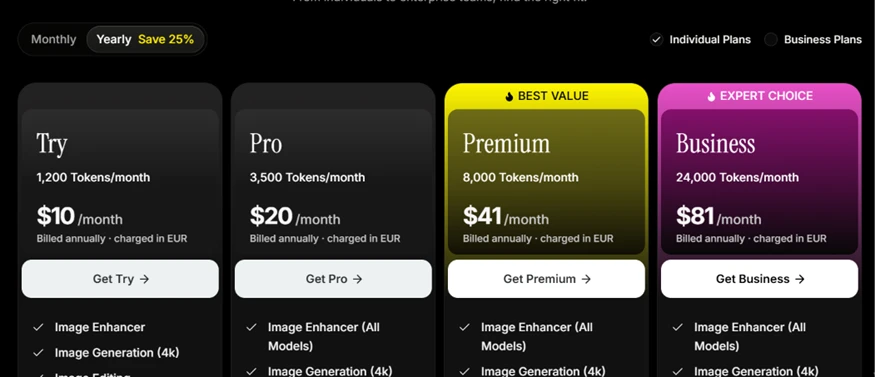
Those dollar figures carry two catches for a US reader. First, the headline price is billed annually, so the $10 Try plan is a year-long commitment of roughly $120 up front, not a $10 dabble. Second, every plan is charged in EUR despite the dollar display, which invites a foreign-transaction fee on many US cards and leaves the final dollar amount floating with the exchange rate.
The token math is the part worth doing before you pay. At 10 tokens per cheapest generation, the Try plan's 1,200 tokens cover about 120 images a month, and the 100 tokens from a referral cover roughly ten of those before the paywall returns.
| Dimension | Our test | User signal | Verdict | Composite |
|---|---|---|---|---|
| Upscale Quality Sharpness and realism of outputs | 9 | 9.2 | Excellent | |
| Ease of Use Learning curve and interface clarity | 8.8 | 8.9 | Excellent | |
| Reliability Uptime, errors, and consistency | 5.5 | 5 | Weak | |
| Billing and Trust Fairness of plans and policies | 3.5 | 3 | Weak | |
| Customer Support Responsiveness and resolution quality | 3 | 2.8 | Weak | |
| Value for Money Perceived value versus subscription price | 6.5 | 6 | Moderate |
Toolscopia uses cookies to keep you signed in, remember your preferences, and understand how our reviews get read. Analytics are anonymous. See our privacy policy for the full detail.






Comments 0
Join the discussion and share your perspective.
Sign in to post a comment and reply to other readers.
No comments yet
Be the first to share your perspective on this tool.