1
Daily free credits
Praised by some, but others report missing or blocked credits and unclear changes to credit policies.
Magic Hour AI is an AI video and media generator geared toward creators needing face swap, UGC ads, music, and image to video tools, with mixed reliability around free credits and trials.
Independent review — we test tools ourselves and analyze public user reviews. How we test.
Magic Hour AI delivers strong value for paid creators, particularly for face swaps, UGC-style ads, and fast image to video workflows. Reviews highlight good pricing, varied models, and handy extras like transparent backgrounds and upscaling. However, free tiers feel restrictive, credit handling and outages create distrust, and support responses appear inconsistent. Best suited to creators willing to pay, who prioritize features and speed over bulletproof free trials or perfectly reliable credit systems.
Magic Hour is a browser-based creative platform that bundles dozens of AI video, image, and audio tools into one workspace. It was founded by Runbo Li and David Hu, and backed through Y Combinator.
The idea behind it is aggregation. Instead of paying for a separate video generator, a headshot tool, a voice cloner, and an upscaler, you get them under one login and one credit balance. Magic Hour wires in a rotating set of leading models (names like LTX, Kling, and Wan sit in its video picker) and lets you switch between them per job.
Its catalog runs wide. On the video side you get image-to-video, face swap, lip sync, and a 4K upscaler. The image side covers generation, headshots, background removal, and a clothes changer, with voice and music tools rounding out the audio section.
Two things define who it suits. There is no signup wall to start creating, and it ships an API, so a solo creator and a developer building a content pipeline both have a way in.
Praised by some, but others report missing or blocked credits and unclear changes to credit policies.
Frequently praised for speed, decent quality, and maintaining transparent backgrounds for creative workflows.
Highlighted as great for social ad campaigns, though noted as consuming credits very quickly.
Seen as giving excellent results, yet some users hit crashes when attempting the free trial.
Criticized for meagre free quota and 30 second WAV exports on the preview tier.
Appreciated for boosting resolution of face swap images, with simple workflow between tasks.
Mentioned positively as an extra feature, though heavy credit usage concerns some reviewers.
Noted as cheaper than alternative providers while offering access to multiple generation models.
Valued by some for less censorship compared with certain competing creative platforms.
The second I created an account, Magic Hour dropped 400 welcome credits in. No card, no trial clock ticking down.
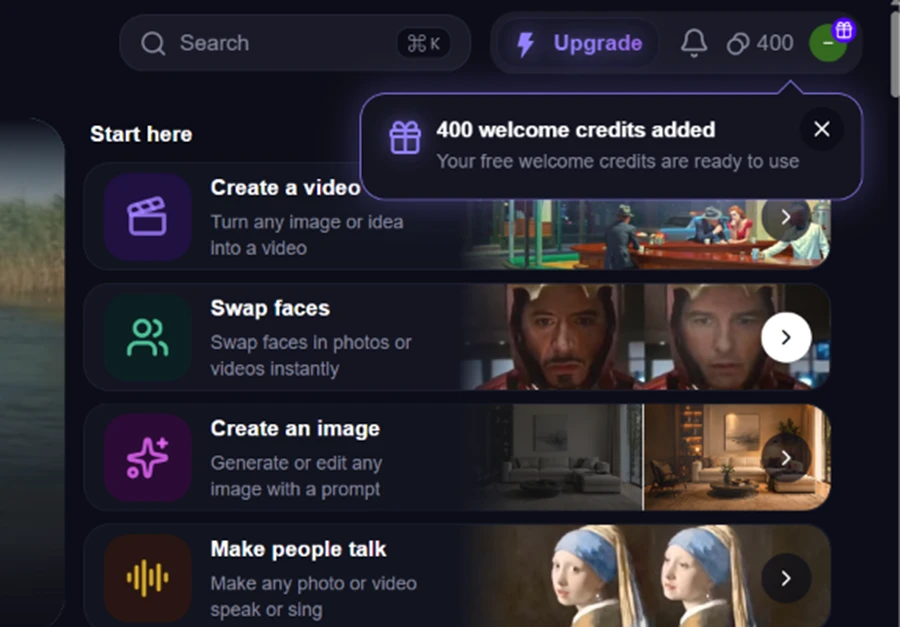
That number reads as generous. What each tool actually charges against it is a different story, which the rest of my test made clear.
I started with Image-to-Video. I uploaded a still of a golden retriever sitting on a porch, picked LTX-2.5 (the free model marked Recommended), and prompted for a slow cinematic push-in with gentle camera movement and steady lighting.
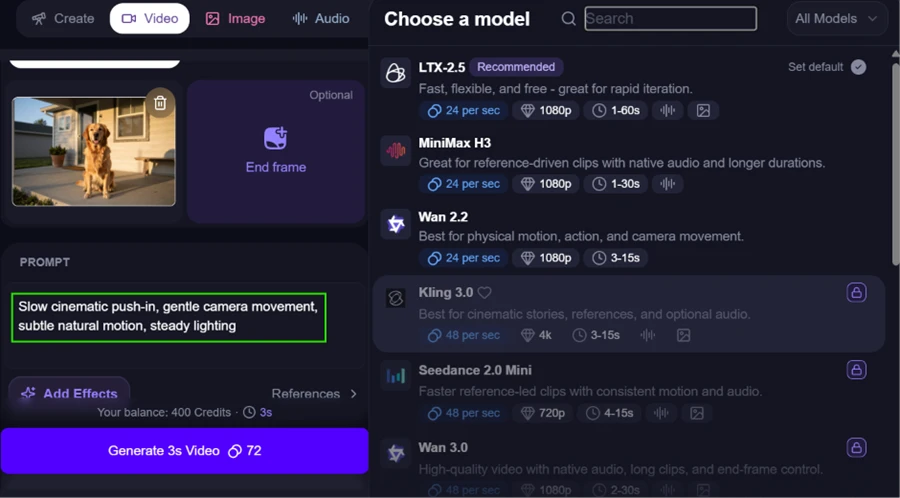
One detail stood out before I hit generate. The strongest models in the list, Kling 3.0 and Wan 3.0 among them, sat behind a padlock. My free run was limited to LTX-2.5 and a couple of others.
The result held up well. The camera eased in and the dog's fur caught the evening light. Nothing melted or warped across the frames.

I ran it a second time with a woman waving at the camera on a city street, prompting for quick arm movement.
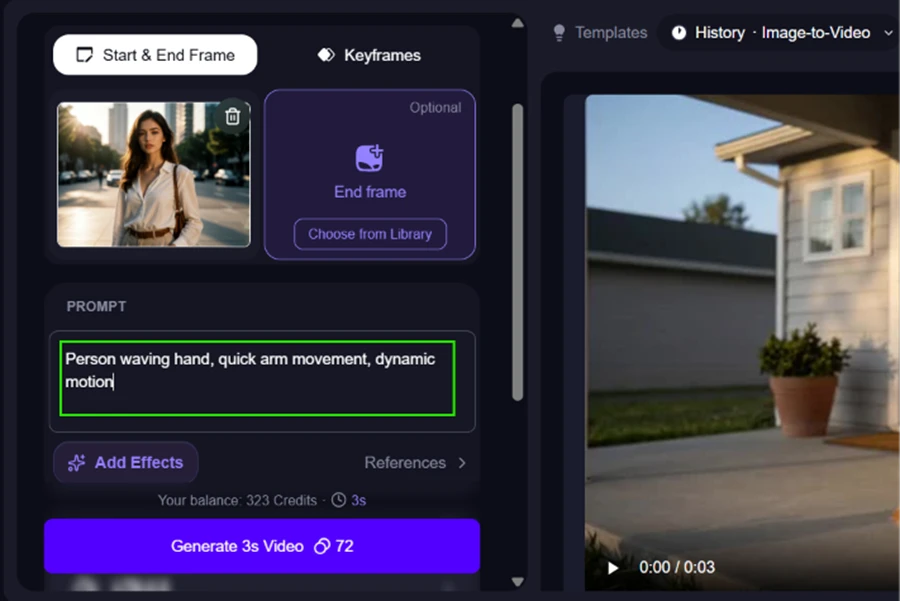
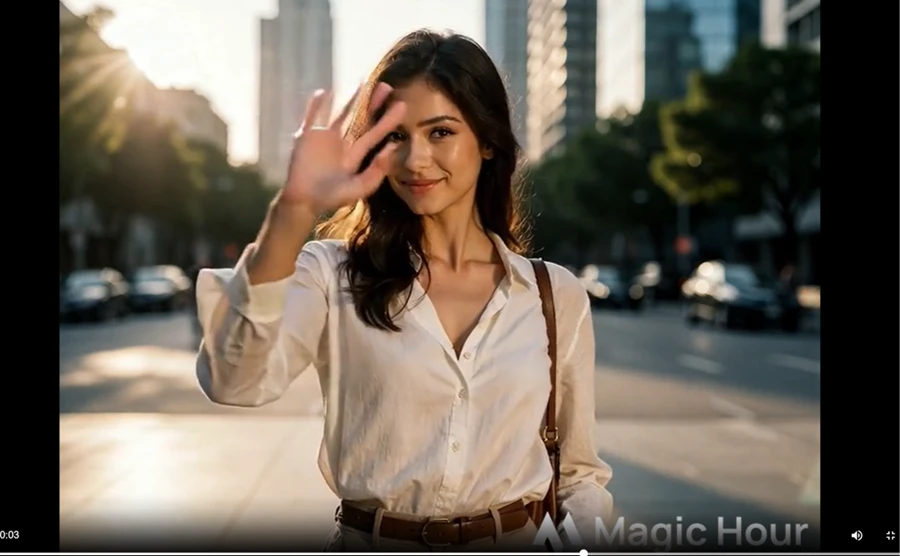
Motion stayed smooth and her face stayed consistent through the clip. When I zoomed into the raised hand, the fingers lost some definition and the thumb went soft, the kind of small artifact these models still trip on during fast motion. At normal playback speed it slips past.

Most AI image tools collapse the moment you ask for actual words. I tested this twice.
First, a neon storefront sign reading OPEN 24 HOURS.
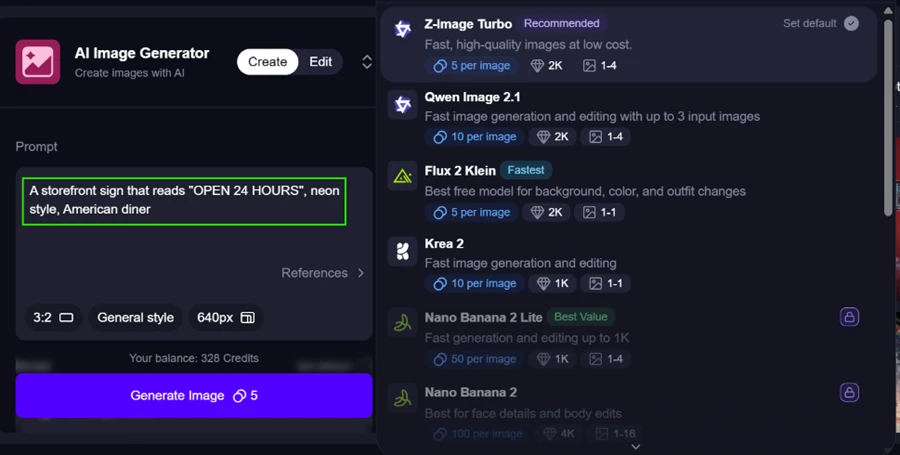
It rendered the lettering cleanly and spelled every character right. It did drop the 24 and handed me OPEN HOURS instead, so it is not flawless with numbers inside a string.

Then I pushed harder with a chalkboard diner menu carrying a full line of text plus a price.
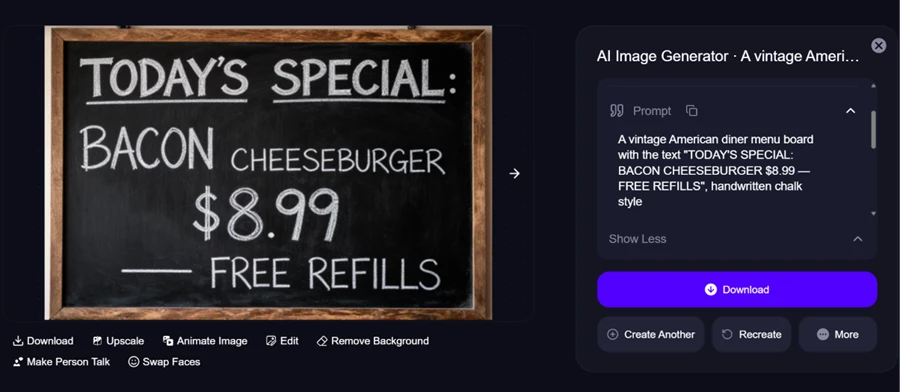
Every word landed. The punctuation held and the 8.99 price came through intact. For a free model, that is sharper text handling than I usually get out of the competition.
Face Swap is the test that broke. I loaded a short template clip of a man dancing in an apron and gave it a clean, front-facing photo of an older man as the face to apply. A 5-second swap was priced at 125 credits.
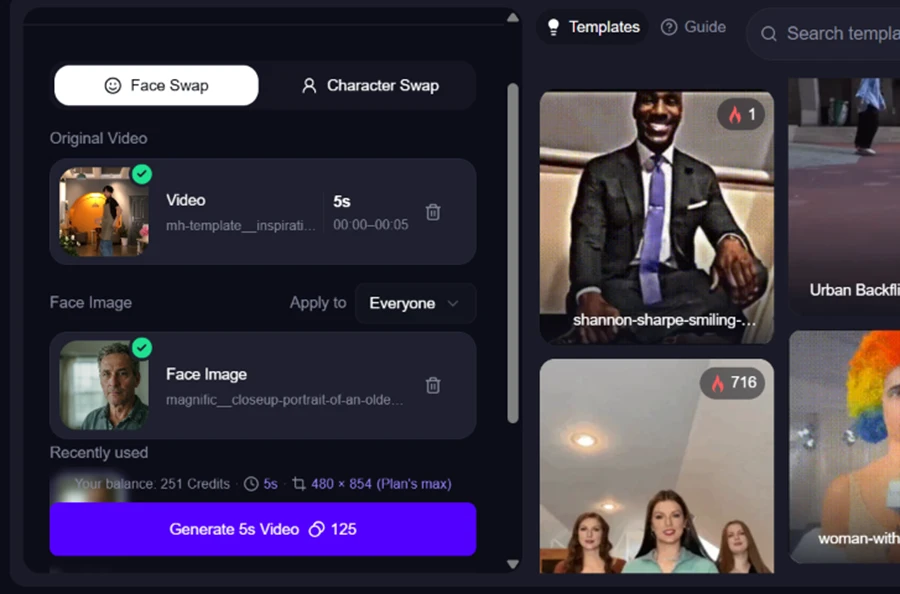
The job dropped into a queue first, with an upgrade prompt dangled to skip the wait.
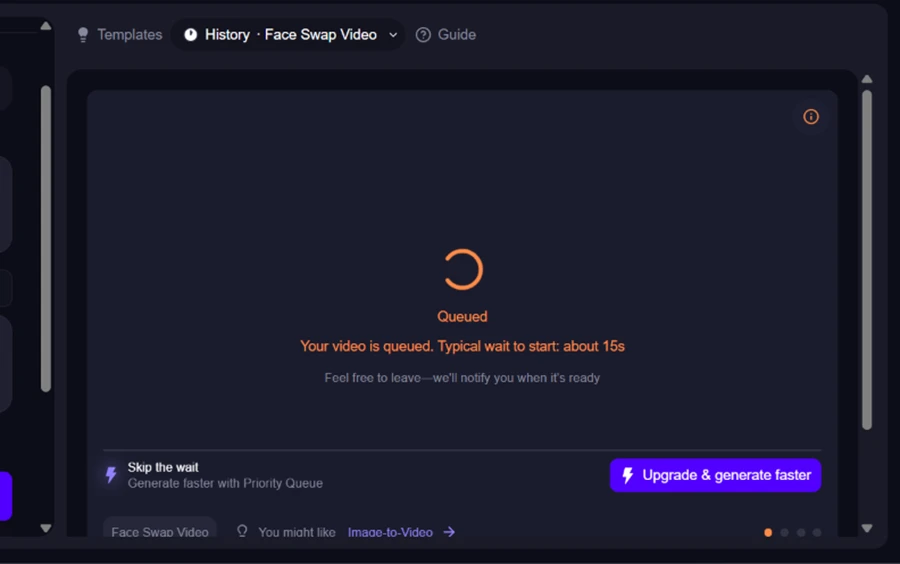
When it finished, the face had not changed at all. I played the source clip and the output back to back, and the dancer kept his own face in every frame. My uploaded photo was ignored.

This is one failed run on one template clip, so I am not writing off the whole feature. On my test, though, with a clean input image, it did not do the single thing it exists to do.
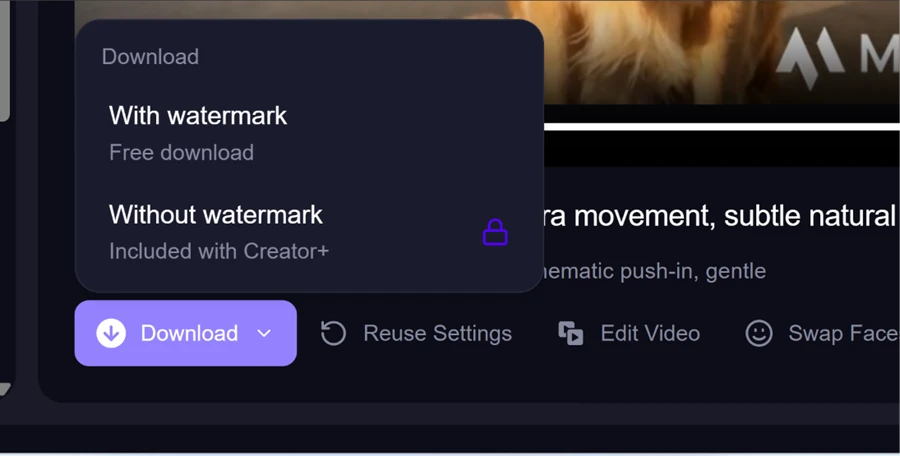
Every free video came out branded with a Magic Hour watermark sitting across the lower third. Clearing it is not a toggle. The download menu hands you the watermarked file for free and locks the clean version behind the paid Creator+ tier.
The credit burn is the real sting on the free plan. Magic Hour keeps its own usage log, and mine laid it out with no ambiguity.
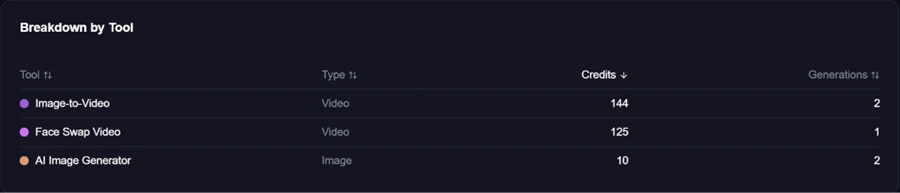
Two image-to-video clips cost 144 credits. One face swap took 125. Two images came to 10. My 400 welcome credits were spent after a small handful of generations, and most of that went on three videos. The free plan also capped my output at 480 by 854 resolution, flagged in the app as the plan's maximum.
To get past the free ceiling, the paid tiers open at Creator.
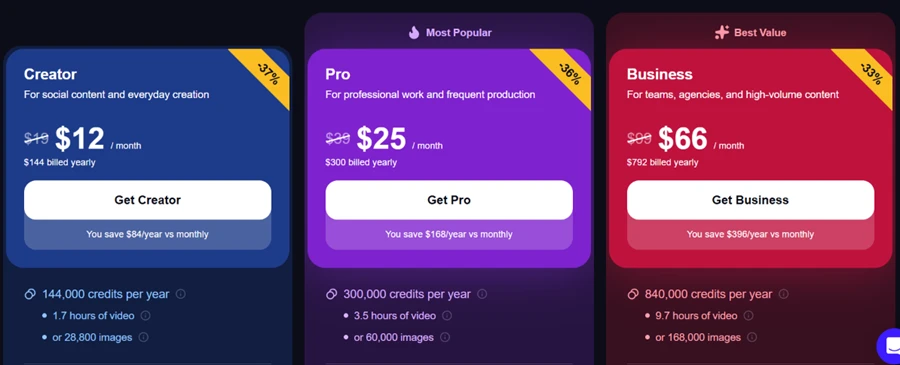
On annual billing, Creator is $12 a month (charged as $144 for the year) for 144,000 credits, which Magic Hour frames as about 1.7 hours of video. Pro sits at $25 a month and Business at $66. Monthly billing costs more than these discounted annual figures, so the sticker price climbs if you do not commit to a year.
The output quality earned its reputation across my test. The friction all lived on the free plan, in the watermark and in credits that emptied after three clips.
| Dimension | Our test | User signal | Verdict | Composite |
|---|---|---|---|---|
| Output Quality Visual and audio result quality | 7.5 | 7.5 | Good | |
| Ease of Use Learning curve and workflow simplicity | 7 | 8 | Good | |
| Value for Money Price relative to capabilities | 8 | 7.5 | Good | |
| Free Tier Experience Usefulness of free previews | 4 | 3 | Weak | |
| Credit System Reliability Consistency of credits and quotas | 3.5 | 3 | Weak | |
| Platform Stability Crashes, errors, and uptime | 5.5 | 4.5 | Weak | |
| Customer Support Speed and helpfulness of responses | 5 | 4.5 | Weak |
Toolscopia uses cookies to keep you signed in, remember your preferences, and understand how our reviews get read. Analytics are anonymous. See our privacy policy for the full detail.






Comments 0
Join the discussion and share your perspective.
Sign in to post a comment and reply to other readers.
No comments yet
Be the first to share your perspective on this tool.