1
Web-based video studio
Praised for intuitive UX by some, but often criticized for glitches and navigation issues.
AI video creation suite used through web app and API, mixing models and creative tools. Interface and pricing please some users, but quality, reliability, and billing issues frustrate many paying subscribers.
Independent review — we test tools ourselves and analyze public user reviews. How we test.
Interface design, perceived affordability, and range of models earn praise from a minority of reviewers. However, the weight of feedback points to unreliable generation, confusing credit systems, and frequent billing or cancellation disputes. Support is often described as unresponsive, with a few exceptions where refunds were granted. This tool fits only highly experimental users willing to tolerate outages, quality inconsistency, and administrative friction for occasional strong results.
Pika is an AI video generator from Pika Labs, a company that first launched the tool in 2023 and has rebuilt its model several times since. The core idea is simple. It takes a written prompt or a still image and produces a short video clip from it, usually a few seconds long.
What separates Pika from most rivals is its effects library, known as Pikaffects. These are one-click transforms that apply a specific motion or action to a subject, such as inflating an object or cake-ifying it, which made Pika popular for playful, meme-style content rather than long cinematic scenes.
The platform has also shifted into a multi-model hub. Alongside its own engine, it now hosts third-party models like Seedance and Seedream, so a single account reaches several video and image systems in one place.
Pika runs in the browser at pika.art, through an iOS app, and over an MCP endpoint for automated workflows. Access is metered by a credit system that applies across every generation and editing tool.
Praised for intuitive UX by some, but often criticized for glitches and navigation issues.
Frequently criticized for confusing limits, rapid depletion, and non refreshing weekly credits.
Appreciated by a few users for variety, but undermined by inconsistent output quality.
Marketed for speed, yet many reviews describe multi hour waits and high demand blocks.
Reported as poorly implemented, with paid users still seeing watermarks and losing credits.
Frequently fail to match expectations, producing distracting changes instead of subtle edits.
Limited to a few photos and very short clips, seen as worse than free alternatives.
A small number of reviewers report good API value and fair pricing.
Plans viewed as cheap by some, but widely linked to cancellation problems and surprise billing.
Pika can capture a reference photo inside the app. I opened the Characters panel, switched to the Camera tab, and it pulled a live feed from my webcam with a Use Photo button to lock the frame. No file hunting, no upload step.
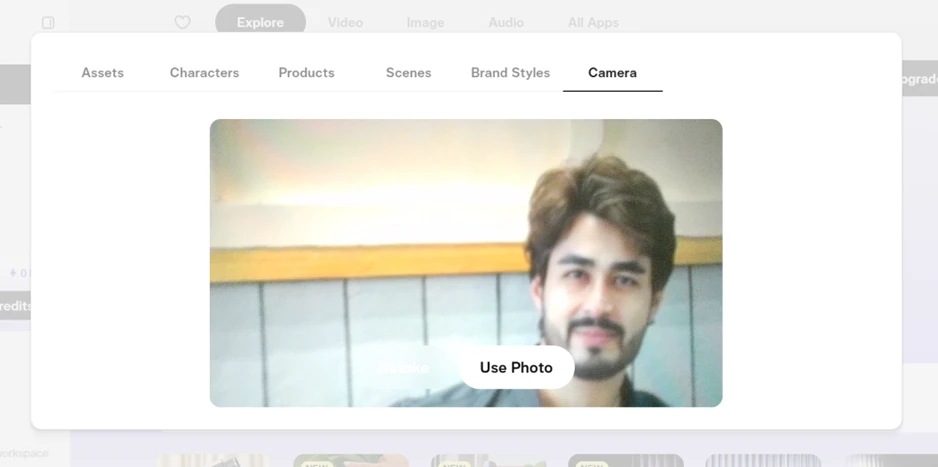
I set that photo as the source for an image-to-video job and typed the prompt: slow push-in, gentle camera movement, subtle natural motion.
Before generating, Pika showed the cost on the button itself. At 720p and 5 seconds it read 20 credits, and the number updated whenever I changed resolution or length. The upfront pricing is a fair touch.
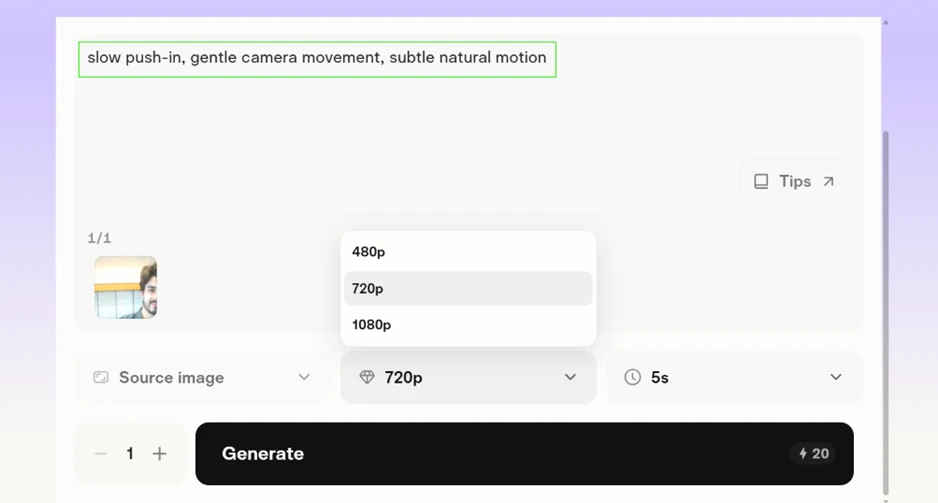
Then I pressed generate. My account held 0 credits, so Pika stopped the job with an Upgrade to Continue screen asking for 20 more credits. The smallest way to buy them was a 1,500 credit pack for $25.
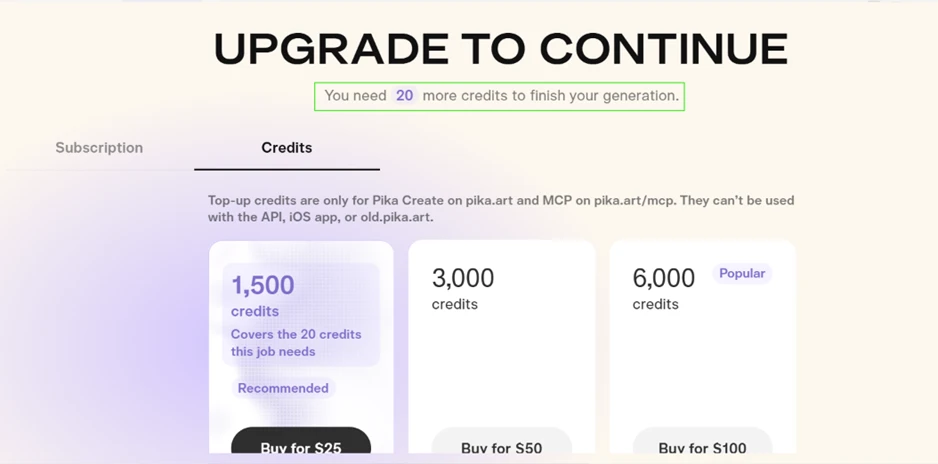
A 20 credit job forced a $25 minimum purchase. That is the sharpest friction point on the free tier.
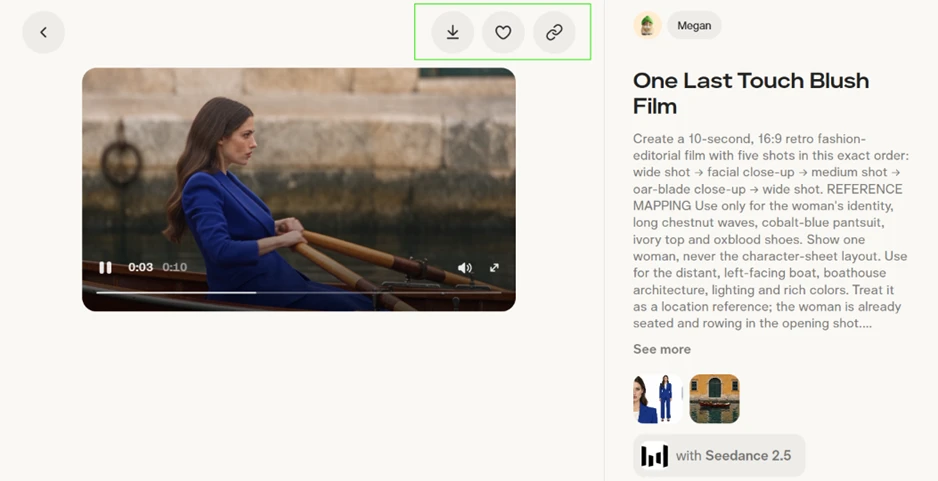
Browsing is where the free plan earns its place. The Explore feed opens other people's videos with their full working details. I opened a community clip titled One Last Touch Blush Film, and the entire prompt sat next to the video, starting with “Create a 10-second, 16:9 retro fashion-editorial film with five shots in this exact order.” The reference images were there too, along with the model that produced it, Seedance 2.5.
The download and copy-link buttons sit above the player, so any public clip saves without spending a credit. For studying how a strong prompt is built, this feed is the most useful thing on the account. It also confirms Pika now runs outside models next to its own.
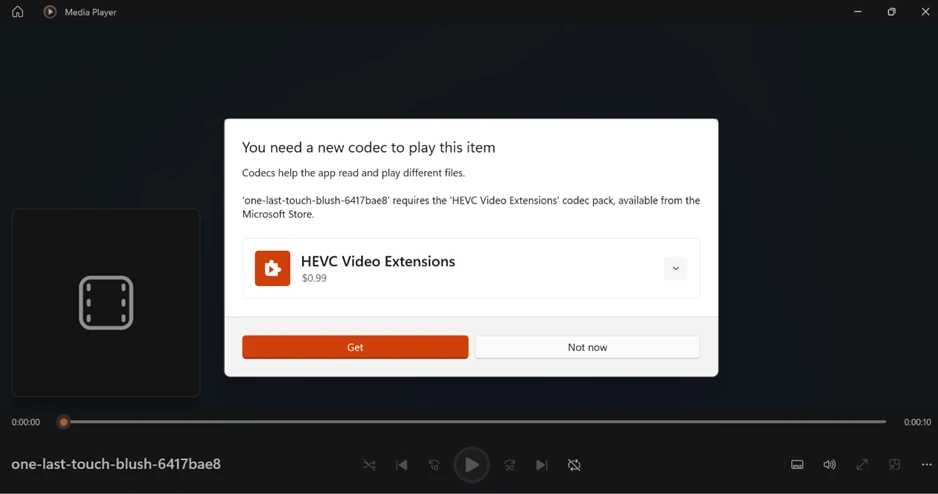
I downloaded that clip to check the export. It refused to open in Windows Media Player, which asked me to buy an HEVC Video Extensions codec pack for $0.99 from the Microsoft Store.
Pika exports in H.265, so a stock Windows machine cannot play the file until that codec is installed. Anyone reviewing downloads on a clean setup will hit this.
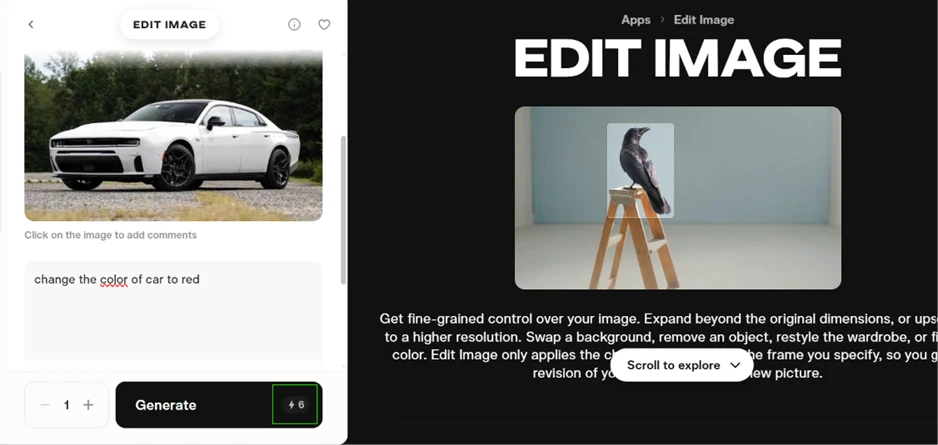
Video is not the only metered tool. I opened the Edit Image app, loaded a photo of a white car, and entered the prompt: change the color of car to red. The generate button showed 6 credits.
With 0 credits, that job was blocked as well. Every creative action draws from the same empty balance, image work included.
The pricing page explains why the free account feels locked. The free column lists access to all models and no watermark, yet it shows no monthly credit allowance, which reads as zero in practice.
Commercial rights begin on the Starter plan at $10 a month, so free output is not licensed for commercial use even if you scrape together the credits. The Creator plan at $35 carries the Most popular tag with 2,600 credits a month, and Fancy sits at $95 for 8,550.
The per-credit rate rewards bigger spenders. Starter gives 60 credits for every dollar while Fancy gives 90, so the cheapest paid plan is also the weakest value.
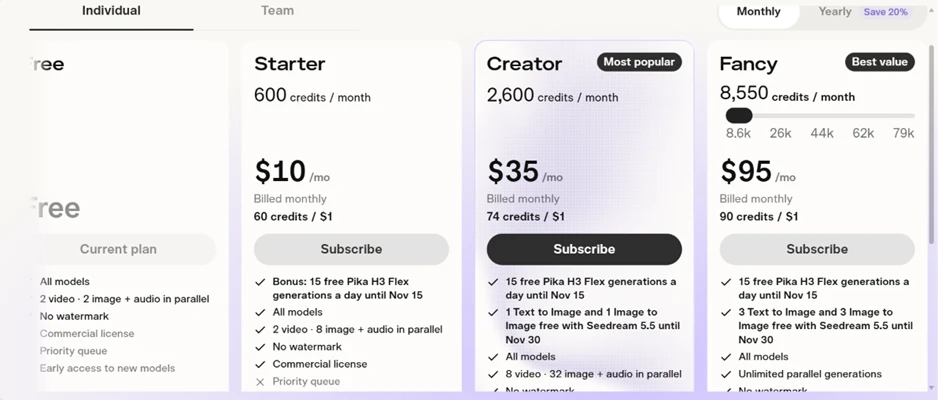
The free tier does drop the watermark, which several rivals keep in place. That perk barely registers here, because getting to a finished video worth watermarking needs a paid balance first.
| Dimension | Our test | User signal | Verdict | Composite |
|---|---|---|---|---|
| Output Quality Realism and prompt accuracy | 8 | 8 | Good | |
| Reliability & Uptime Failures, delays, queue behavior | 8 | 7 | Good | |
| Ease of Use UX, navigation, onboarding clarity | 9 | 9 | Excellent | |
| Value for Money Price against delivered results | 6 | 6 | Moderate | |
| Billing & Transparency Credits, refunds, cancellation clarity | 6 | 6 | Moderate | |
| Customer Support Speed and usefulness of help | 8 | 8 | Good | |
| Feature Set Tools range and practical usefulness | 8 | 8 | Good |
Toolscopia uses cookies to keep you signed in, remember your preferences, and understand how our reviews get read. Analytics are anonymous. See our privacy policy for the full detail.






Comments 0
Join the discussion and share your perspective.
Sign in to post a comment and reply to other readers.
No comments yet
Be the first to share your perspective on this tool.