1
AI video generation from prompts
Intended to create videos from text prompts, but reviewers report frequent misunderstandings and unusable results.
AI assisted video creation platform tied to credits and subscriptions, pitched at creators and small businesses, but reviews describe unreliable output, opaque billing, spammy communication, and unresponsive support that undermines any potential value.
Independent review — we test tools ourselves and analyze public user reviews. How we test.
Pippit.ai occasionally helps users assemble simple videos, and pricing looks attractive at first glance. However, reviews consistently report unreliable AI behavior, unusable renders, disappearing credits, and aggressive upsells. Billing complaints, refund disputes, and persistent spam are widespread, with support often described as absent or copy pasted. It is difficult to recommend for any professional workflow, and only casual experimentation with minimal spend seems justifiable.
Pippit AI is a content creation platform built by the CapCut team and owned by ByteDance, the parent company behind TikTok. It launched in May 2025, having started out as CapCut Commerce Pro before rebranding to Pippit in 2026. The tool runs entirely in your browser with nothing to install. You hand it a product link, an uploaded image, or a short text prompt, and it turns that into finished marketing videos, product photos, avatar clips, and social ads you can post straight to your channels.
What separates it from a plain video editor is that there is no traditional editing timeline at all. Pippit runs on the same video technology stack that powers CapCut and its billion-plus users, pulling in ByteDance models such as Seedance and Seedream to handle the script, visuals, voiceover, and captions on its own. It aims at e-commerce sellers and small marketing teams, the sort of users who need a steady flow of content without a production crew. The free plan gives you 150 credits every week, and paid tiers open up the full studio.
Intended to create videos from text prompts, but reviewers report frequent misunderstandings and unusable results.
Marketed voice sync feature often produced unusable desynced videos, heavily criticized for wasting credits.
Credit consumption and pricing perceived as opaque, with disappearing points and inconsistent per action costs.
Starter plans include monthly points, yet some users see zero balance despite active paid subscriptions.
Session limited agents require repeated rebriefing, frustrating users creating longer or multi session projects.
Previously included external models, later removed without notice, replacement in house model widely criticized.
Integration attracts CapCut users, but business reviewers flag invoicing issues and poor reliability.
Aggressive email campaigns lack functional unsubscribe options, widely described as spammy.
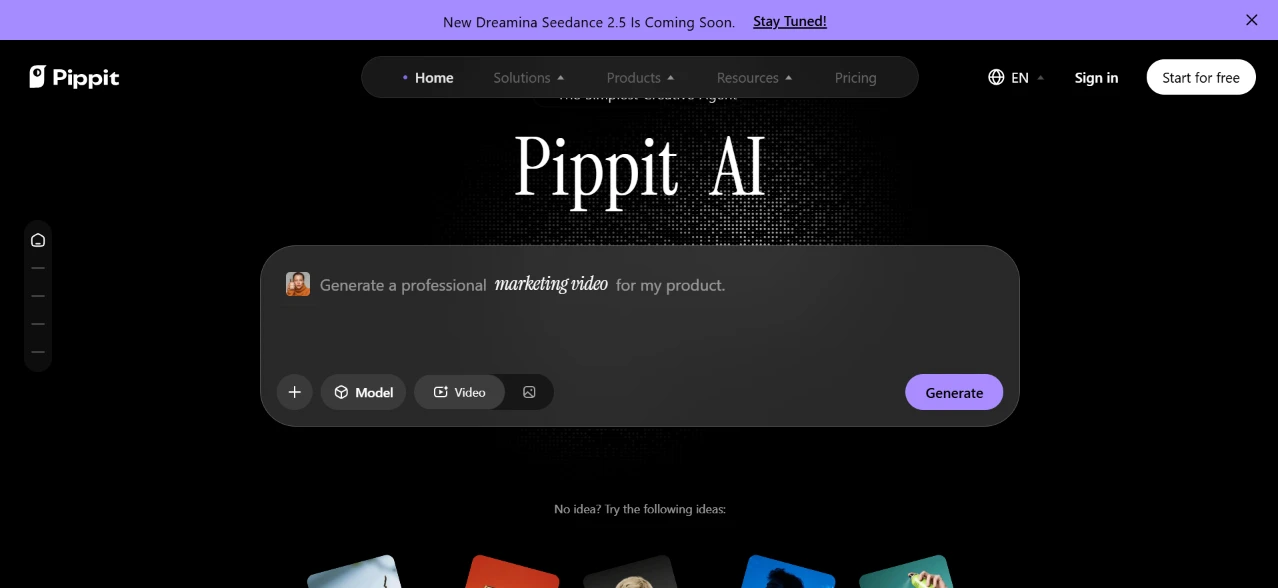
I started on the Pippit homepage. The first thing in front of me was a large “Pippit AI” heading and a single prompt box sitting in the middle of a dark hero section. The box already had “Generate a professional marketing video for my product” filled in as placeholder text. A Model selector and a Video toggle sat along the bottom, with a purple Generate button off to the right.
The entry point was obvious. One box, and it told me exactly what to type.
I did not have to dig through menus to find where to begin. A thin banner across the top announced something about “Dreamina Seedance 2.5” coming soon, which I skipped past.
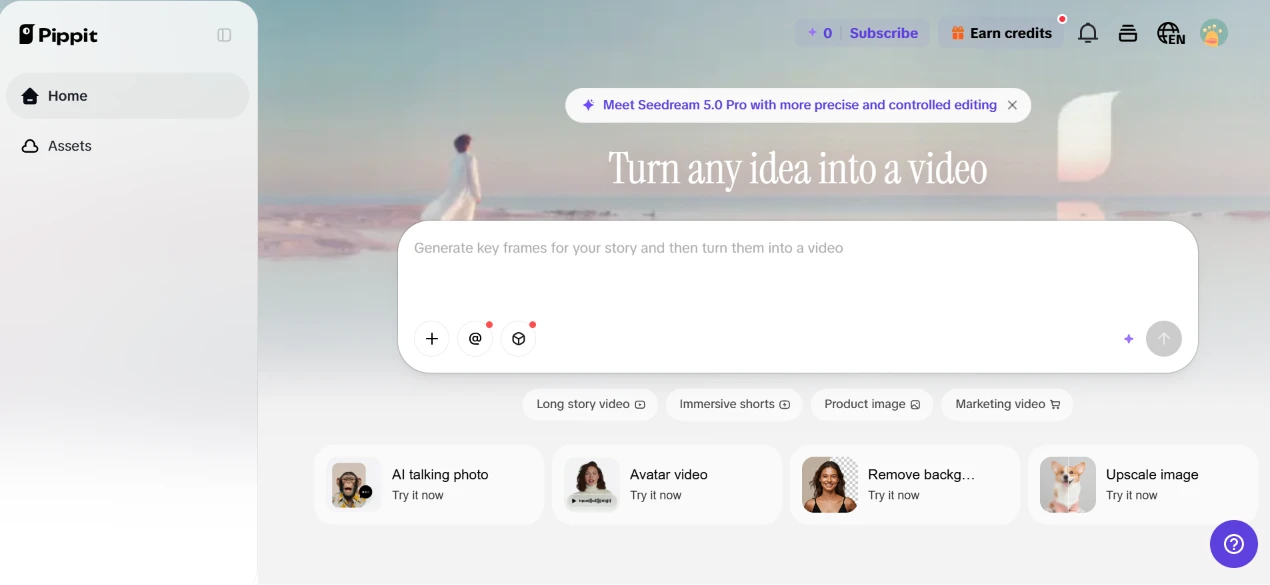
After I signed in, the page turned into a lighter dashboard with “Turn any idea into a video” across a soft pastel banner. The prompt box now read “Generate key frames for your story and then turn them into a video.” Under it sat quick tabs for long story video, immersive shorts, product image, and marketing video, plus a row of shortcut cards like AI talking photo, avatar video, remove background, and upscale image.
This felt like the actual workspace. The homepage was the pitch, this was where the work happens.
I decided to test image generation. The prompt I typed was:
“Confident fashion model in modern streetwear, urban background, cinematic lighting, realistic.”
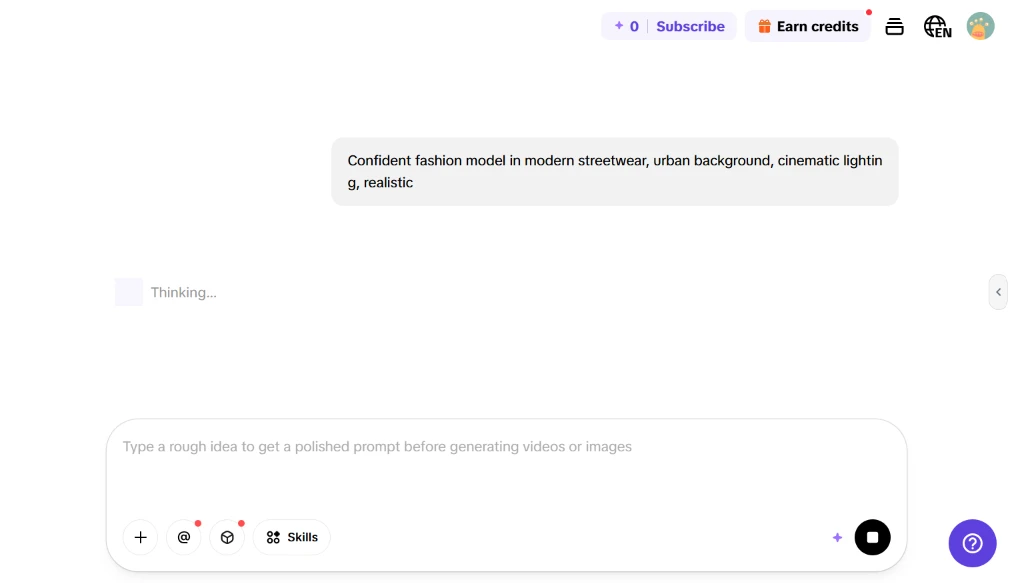
After I hit send, the tool dropped into a “Thinking...” state. The input hint swapped to “Type a rough idea to get a polished prompt before generating videos or images,” and a stop button showed up next to it while it worked.
I liked that it tried to polish my rough prompt before firing off a generation, and the waiting screen stayed clean instead of throwing progress noise at me.
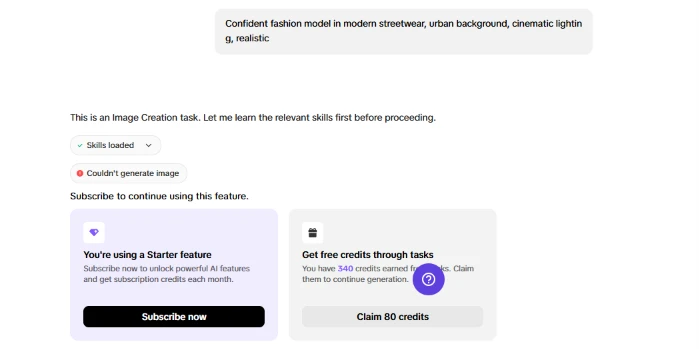
Then the result came back, and it was not the image I wanted. The chat told me “This is an Image Creation task. Let me learn the relevant skills first before proceeding,” showed a “Skills loaded” line, and then a red “Couldn’t generate image” tag with “Subscribe to continue using this feature” underneath.
Two cards appeared. One pushed me to subscribe to unlock the Starter feature. The other offered free credits through tasks. It showed I had 340 credits waiting and put a button in front of me to claim 80 of them.
This was the first friction point. I came in to make one image and hit a paywall on the first try. What softened it was the second card. Instead of forcing a subscription on me, it handed me a way to earn my way in. I clicked “Claim 80 credits,” got them, and ran the exact same prompt again.
The re-run worked once I had credits. The first output came back tall and narrow, so I asked it to change the aspect ratio to 16:9.
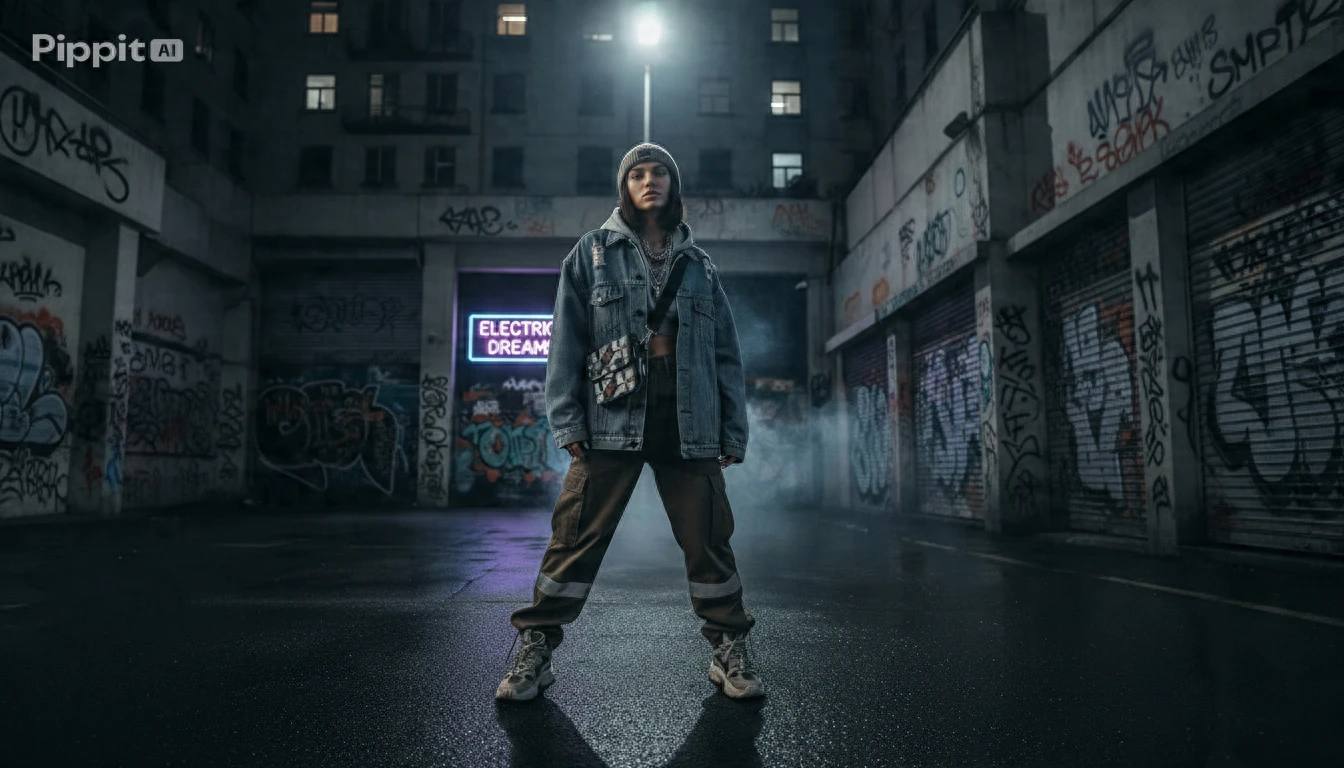
It handled the 16:9 request without any fuss. The chat confirmed “Your image with a 16:9 aspect ratio is ready: fashion_model_16_9.png,” and the full picture opened in the preview panel on the right.
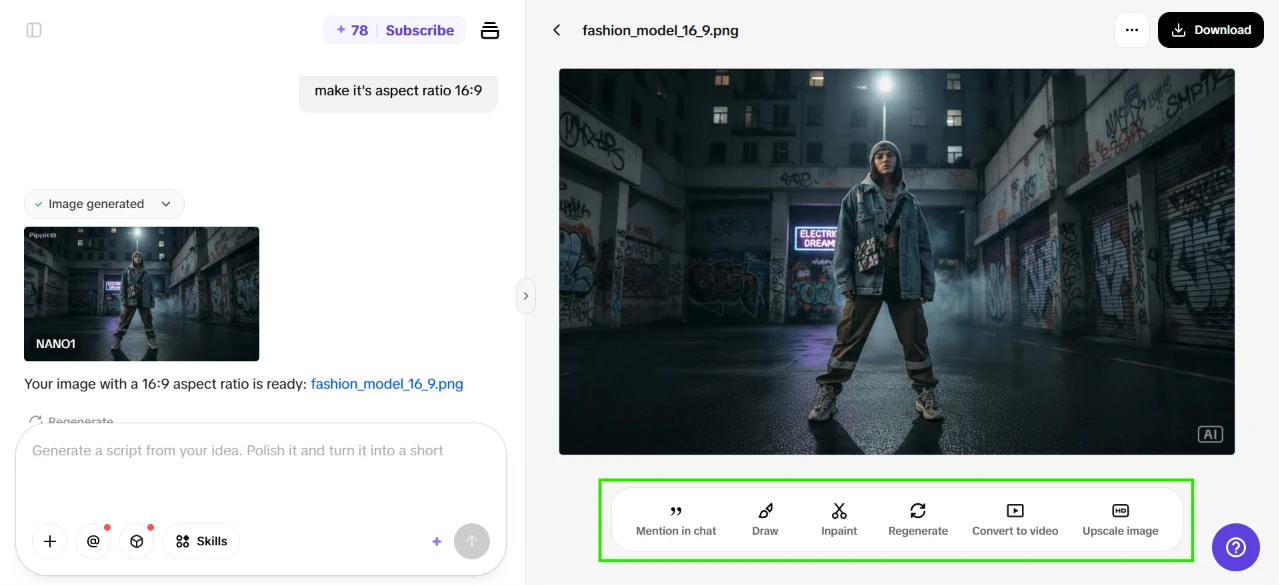
The image itself held up. A model in a beat-up denim jacket and beanie stood under a street lamp in a graffiti-covered alley, an “ELECTRIC DREAM” neon sign glowing to one side and wet pavement catching the light. It matched my prompt closely, the streetwear, the graffiti-heavy urban setting, the cinematic lighting, and the wet-pavement reflections I never asked for. A small “Pippit AI” watermark sat in the top corner.
What caught my eye more than the picture was the strip of actions under it, boxed in green in my screenshot. From that one panel I could mention the image in chat, draw on it, inpaint a section, regenerate, convert it to video, or upscale it. So the image was not a dead end. It was a jumping-off point, and the obvious thing to try next was turning it into video.
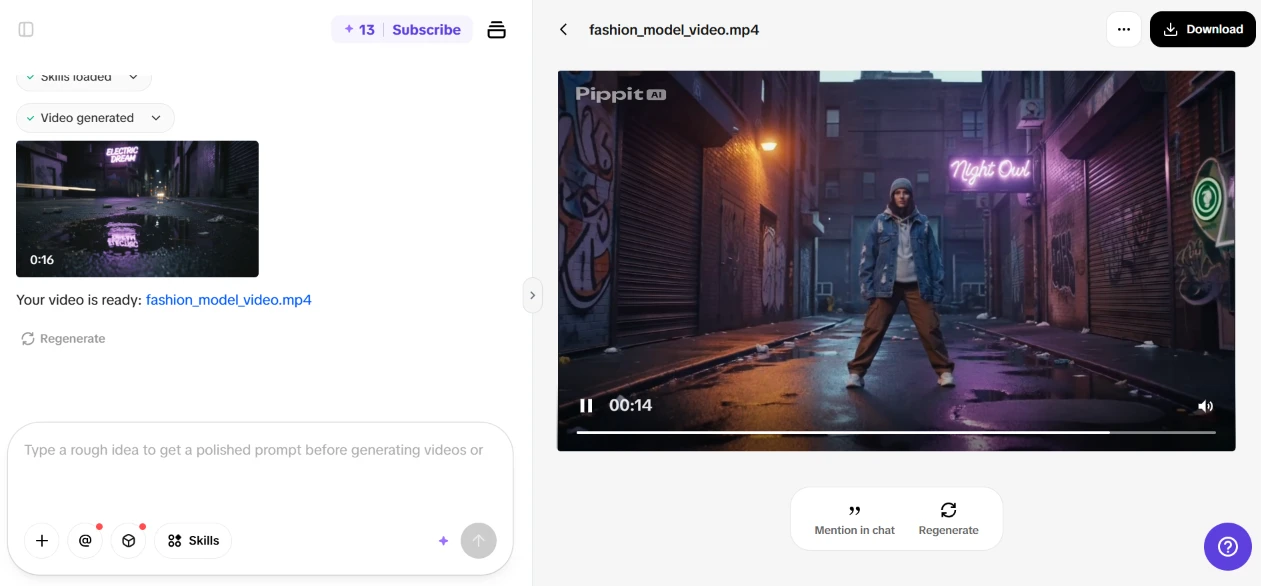
I ran the convert-to-video action on the fashion model shot. It generated a 16 second clip and confirmed “Your video is ready: fashion_model_video.mp4.”
The result surprised me in a good way. The still frame came alive as a moody night scene, the model standing in a neon-lit alley with a “Night Out” sign glowing behind him and the camera drifting slightly. Going from a single generated frame to a moving 16 second clip took one click and a short wait.
For a step I expected to be clunky, this was the smoothest part of the whole session.
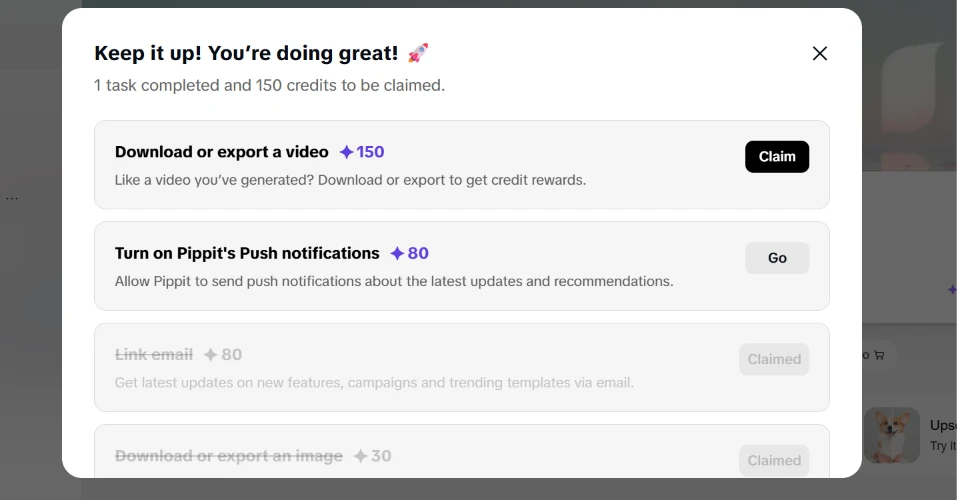
Since credits were clearly the currency here, I opened the earn credit dashboard. A popup congratulated me with “1 task completed and 150 credits to be claimed.” It listed ways to stack up more: 150 credits for downloading or exporting a video, and 80 for turning on push notifications. Two rows sat greyed out, for linking email and exporting an image, both already claimed.
This is a smart loop. Every action I take feeds credits back so I can keep generating, which kept me moving instead of hitting a hard stop. It also took some of the sting out of the earlier paywall, because the tool kept handing me ways around it.
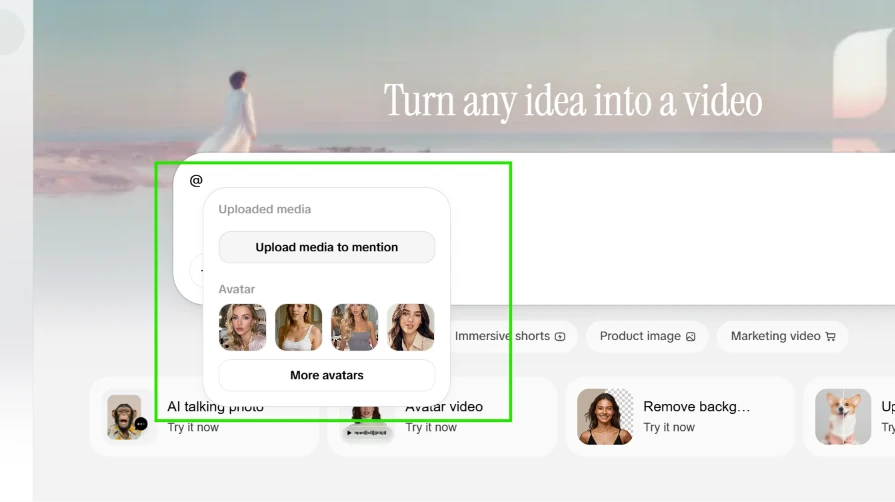
Next I poked at the avatar feature. Typing “@” in the prompt box opened a small menu with an “Upload media to mention” button up top. Under an “Avatar” label sat a row of preset faces, with a “More avatars” link for the full library.
This was a neat touch. I could pull in my own uploaded media or grab a face from their library and drop it into a prompt by tagging it, the same way you mention someone in a chat app. It made the idea of building a video around one specific person feel approachable.
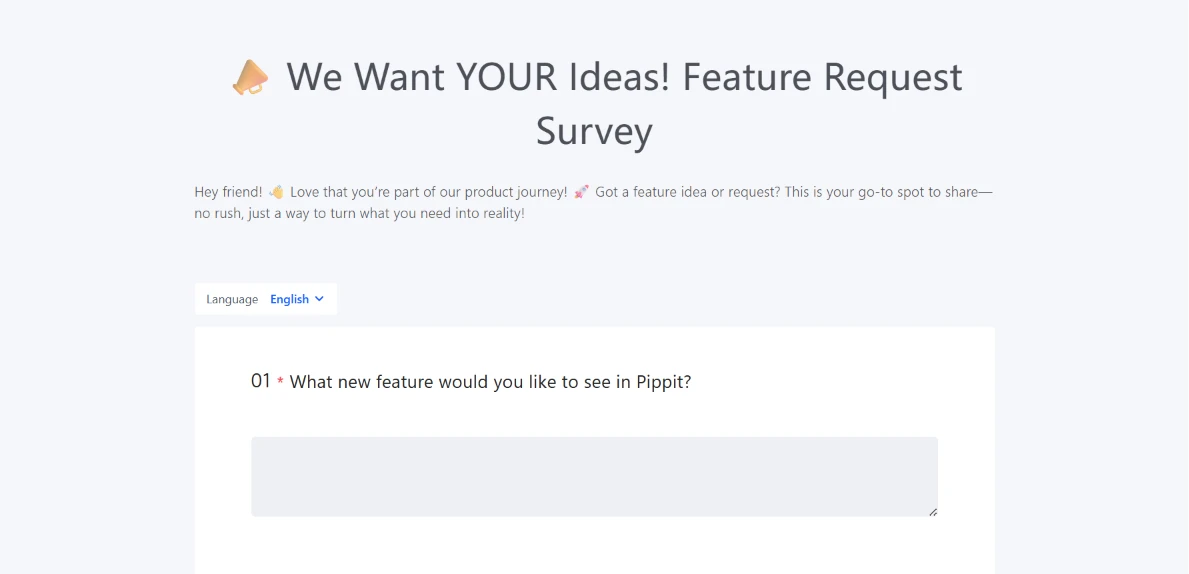
The last thing I checked was the feature wishlist. Clicking it took me out to a “We Want YOUR Ideas! Feature Request Survey” page, with a friendly intro and a first question asking what new feature I would like to see in Pippit, followed by an open text box.
Sending me off to a separate survey page felt a little disconnected from the in-app flow I had just been moving through. Even so, having a direct line to ask for features is something I would rather have than not.
| Dimension | Our test | User signal | Verdict | Composite |
|---|---|---|---|---|
| Output Quality Visual fidelity and prompt accuracy | 9.5 | 9.3 | Excellent | |
| Ease of Use Editing workflow and interface clarity | 9.2 | 9 | Excellent | |
| Reliability Bugs, stability, and model availability | 8 | 8.2 | Good | |
| Value for Money Perceived fairness of pricing | 8.7 | 8.4 | Excellent | |
| Customer Support Helpfulness and resolution speed | 8 | 8.3 | Good | |
| Billing and Trust Charging practices and transparency | 8.2 | 8.4 | Good |
Toolscopia uses cookies to keep you signed in, remember your preferences, and understand how our reviews get read. Analytics are anonymous. See our privacy policy for the full detail.






Comments 0
Join the discussion and share your perspective.
Sign in to post a comment and reply to other readers.
No comments yet
Be the first to share your perspective on this tool.