1
Daily credit based usage
Limited free credits per day, widely criticized as misleading versus advertised unlimited free access.
AI image generator focused on creative prompts and character images, marketed as free with limits. Suits patient tinkerers more than professionals needing reliable, high quality, controllable output.
Independent review — we test tools ourselves and analyze public user reviews. How we test.
Raphael.app can produce usable illustrations and recurring characters for simple projects, and one reviewer values it for creating phonics story images for children. However, most feedback highlights poor image quality, unreliable generation, broken editing tools, and aggressive credit based limits that contradict free and unlimited claims. Queueing, throttling, and frequent errors make it unsuitable for time sensitive or professional work. It best fits hobbyists experimenting casually who are comfortable working around restrictions and inconsistent results.
Raphael AI is a browser-based image and video generator you open and use straight from the homepage, with no download and no account needed to start. Its pitch centers on access.
Rather than running a single engine, it sits on top of a multi-model router that sends your prompt to one of several named models, including Seedream, GPT Image, Nano Banana, Grok, and Qwen. You pick a model, a resolution, an aspect ratio and a style, then generate up to four images at once.
The site positions itself as a free entry point to tools that usually sit behind a paywall. Guests can create right away, after which the product shifts to a daily credit allowance tied to a sign-in. It handles text-to-image and image-to-image with reference uploads, and it carries a separate Video tab for short clips.
That makes Raphael a quick place to test image ideas before committing to a paid generator or a heavier design tool.
Limited free credits per day, widely criticized as misleading versus advertised unlimited free access.
Default free model mentioned as low quality and heavily throttled by several frustrated reviewers.
Acts as a wrapper around external AI models, criticized as a thin iframe mall of other tools.
Queue times reportedly escalate artificially, nudging users toward paid priority style processing.
Intended for iterative edits, but users report it often ignores the original and breaks workflows.
Some success generating recurring characters for simple stories, though consistency still requires many retries.
Very strict content filters mentioned, with no visible controls to adjust or disable them.
Account deletion described as partial only, raising concerns about retained email hashes.
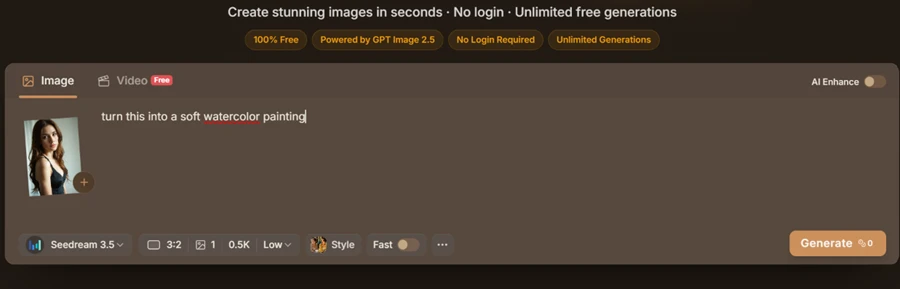
The homepage leads with four claims: 100% Free, Powered by GPT Image 2.5, No Login Required, Unlimited Generations.
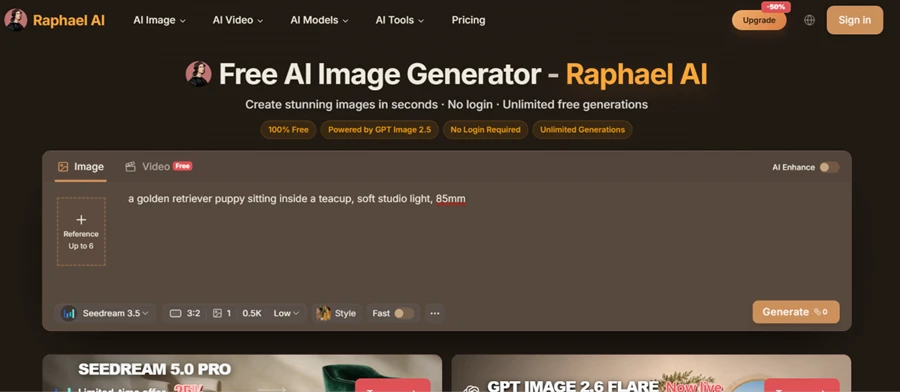
I typed my first prompt without signing in.
PROMPT
a golden retriever puppy sitting inside a teacup, soft studio light, 85mm
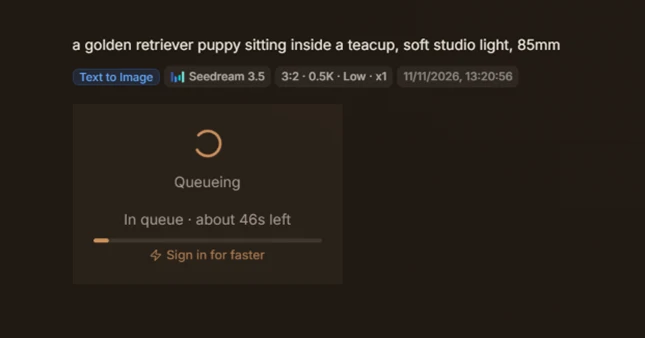
The job did not run on the spot. It dropped into a queue with a 46-second wait and a Sign in for faster line under the progress bar. The free tier works with no account. Speed is the first thing they hold back.
The puppy came back at 768 by 512. Fur texture and the soft studio lighting both held, and the framing read like an actual 85mm shot.
Raphael dropped a row of follow-up actions beside the result, including Image to Video, Lip Sync, Erase Objects, and Image Expand.

This was the strongest part of my test. One clear prompt is where Raphael earns its traffic.
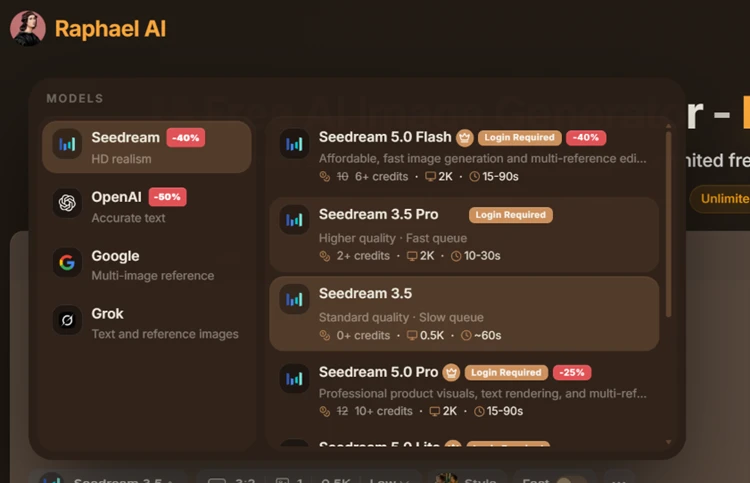
The model selector shows the part they market hardest: named engines such as Seedream 5.0, Seedream 3.5 Pro, OpenAI, Google, and Grok.
Read the tags. Almost every model carries a Login Required label and a credit price. Only Seedream 3.5 sat at 0 credits, pinned to 0.5K resolution and the slow queue I had already hit. Free access is real. It funnels you toward one model and asks you to pay or sign in for anything better.
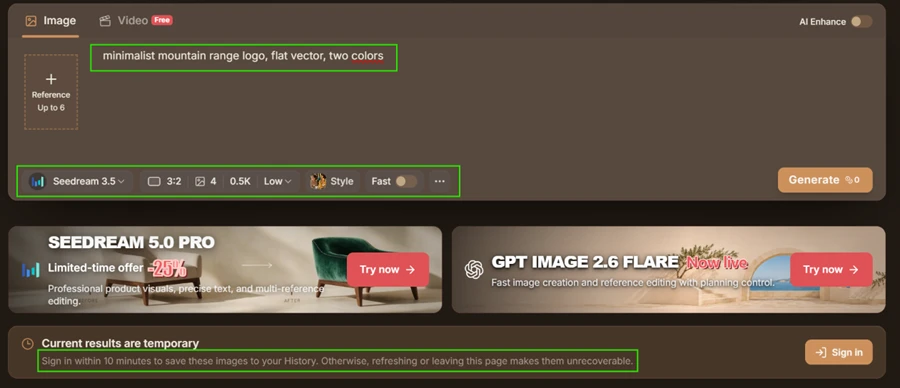
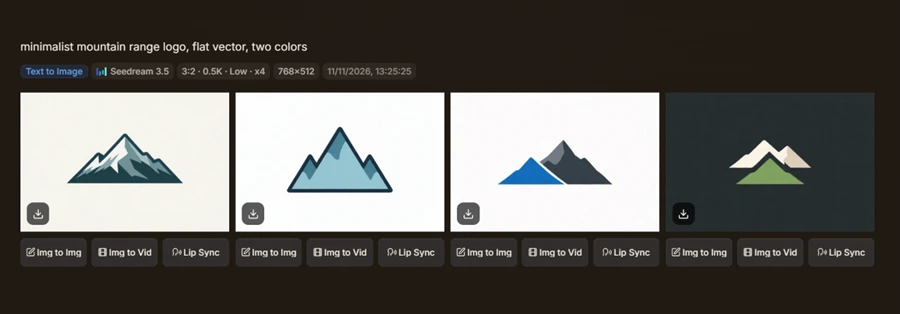
I set the output count to four and ran a logo prompt.
PROMPT
minimalist mountain range logo, flat vector, two colors
Four usable flat-vector concepts came back in a single generation. For fast ideation on a free tool, that holds weight.
A warning stayed under the generator the whole time. Sign in within 10 minutes or a refresh makes the images unrecoverable. My guest work was disposable by design.
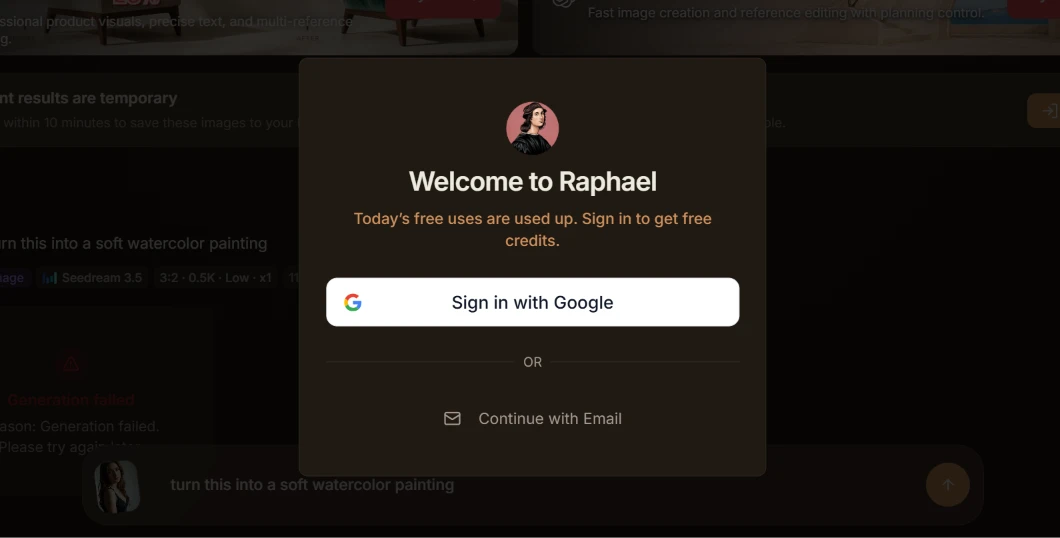
A few generations in, still logged out, the wall arrived. A popup read Today’s free uses are used up. Sign in to get free credits, while the job behind it failed.
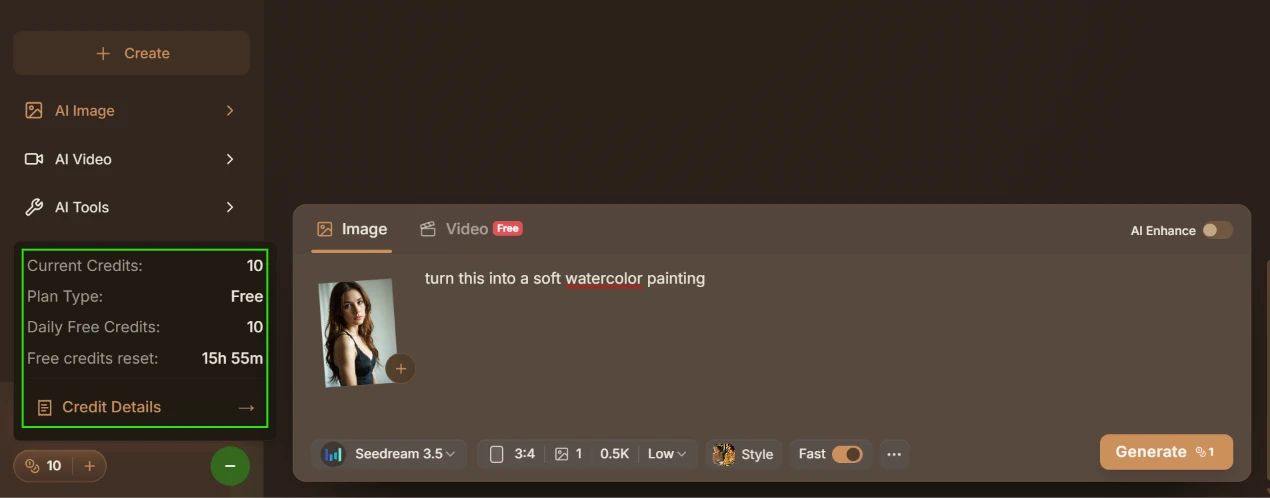
I signed in to continue. The side panel then showed the real structure. My plan read Free, with 10 daily credits and a reset clock under 16 hours. Unlimited Generations on the homepage means 10 credits a day in practice.
 |  |
This is the finding that shifted my view of the tool.
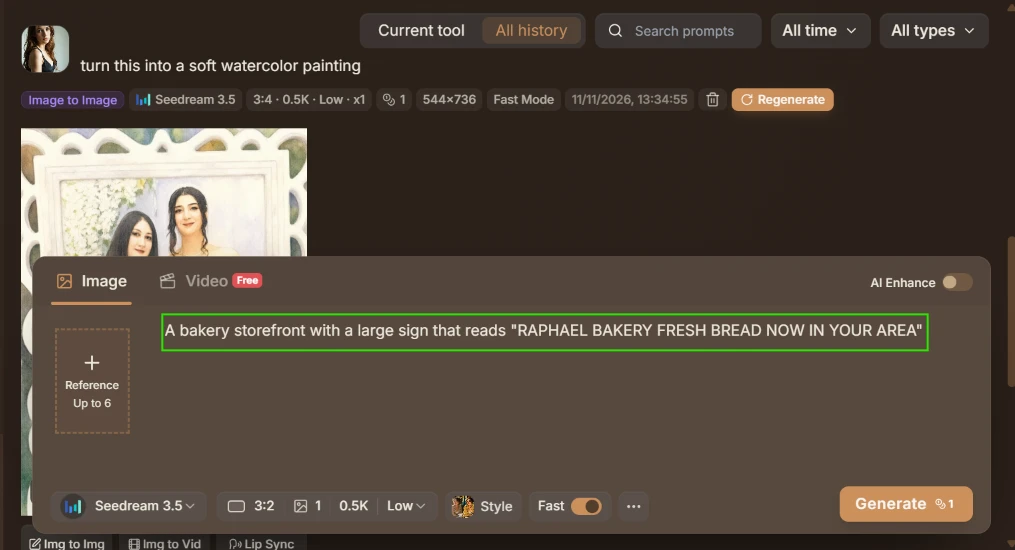
I uploaded one portrait of a single woman and gave a plain instruction.
PROMPT
turn this into a soft watercolor painting
What came back was a watercolor of two different people in a wedding frame. Not a painted version of my photo. A separate picture of strangers I never uploaded, stamped with a raphael.app watermark.

I expected my input back in a new style. I got someone else’s picture. For anyone uploading personal photos, that raises a direct question about where these images come from and what happens to an upload after it leaves the screen.
Most diffusion models break long text, so I handed Raphael a hard one.
PROMPT
A bakery storefront with a large sign that reads "RAPHAEL BAKERY FRESH BREAD NOW IN YOUR AREA"
 | 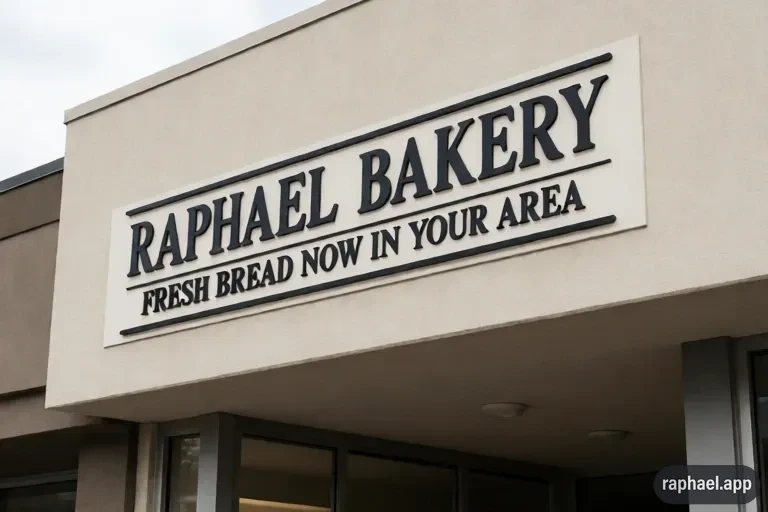 |
The sign rendered cleanly, every word in place. Credit where it is due. Seedream handled a full line of signage better than most free generators I have run. The one mark against it was the same raphael.app watermark pressed into the download.
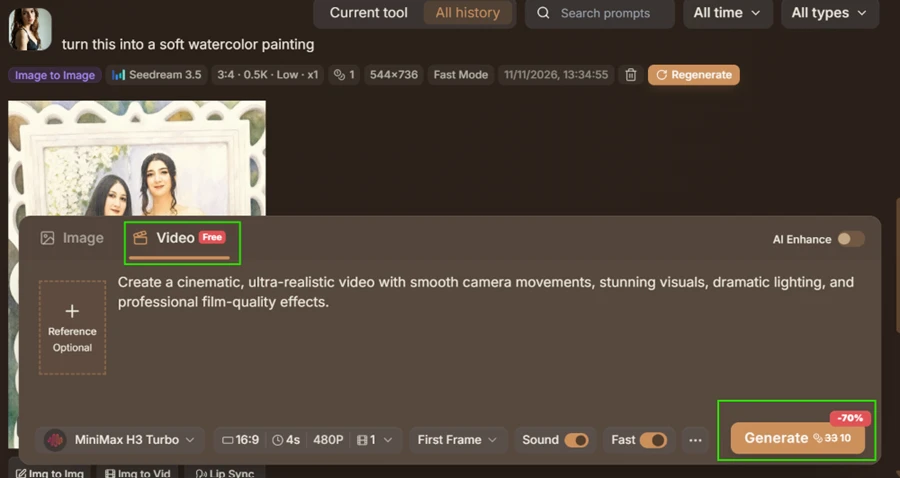
The Video tab wears a Free badge. The Generate button says otherwise. One 4-second clip at 480p on MiniMax H3 Turbo showed a credit charge even after a 70% discount, around 10, which is a full day of free credits for one short video.
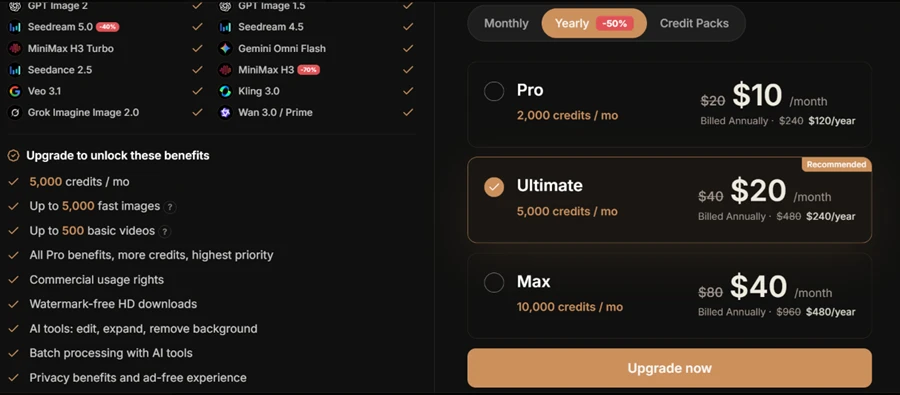
The pricing page spells out what the free plan withholds. Commercial usage rights, watermark-free HD downloads, batch processing, and the editing tools all sit behind Upgrade to unlock. An ad-free experience with privacy benefits sits there too, which tells you the free tier serves ads.
Paid plans run on a yearly 50% offer. Pro starts at $10 a month for 2,000 credits. Ultimate, the plan they push as recommended, is $20 a month for 5,000 credits. Max runs $40 a month for 10,000 credits. Monthly billing doubles every price.
| Dimension | Our test | User signal | Verdict | Composite |
|---|---|---|---|---|
| Image Quality Sharpness and usefulness of images | 7.5 | 7 | Good | |
| Prompt Control Accuracy to prompts and diversity | 7 | 6.5 | Moderate | |
| Ease of Use Learning curve and workflow clarity | 8 | 8 | Good | |
| Value for Money Perceived fairness of pricing limits | 5 | 4.5 | Weak | |
| Reliability Errors, stability, and queue behavior | 5 | 4.5 | Weak | |
| Customer Support Availability of help and responses | 4.5 | 4.5 | Weak |
Toolscopia uses cookies to keep you signed in, remember your preferences, and understand how our reviews get read. Analytics are anonymous. See our privacy policy for the full detail.






Comments 0
Join the discussion and share your perspective.
Sign in to post a comment and reply to other readers.
No comments yet
Be the first to share your perspective on this tool.