1
Community Model Library
Thousands of checkpoints and LoRAs ready to run.
Tensor.Art is a browser-based AI generator built on Stable Diffusion and Flux, pairing a huge community model library with in-browser LoRA training and free daily credits for images and short video.
Independent review — we test tools ourselves and analyze public user reviews. How we test.
Tensor.Art earns its reputation on range. The model library is deep, and anime or stylised work comes out looking polished with little effort. The free plan is usable for real iteration rather than a teaser. Problems show up under load. Generations slow during busy hours, and the odd bug or session timeout interrupts longer sessions. Output also swings in quality depending on which community model you pick. For someone making stylised art who can work around the rough edges, it delivers. For deadline-critical or photoreal production, the inconsistency will test your patience.
Tensor.Art launched in 2023 and has grown into a community platform with more than 500,000 creators. It runs entirely in the browser, so generation happens on cloud GPUs instead of your own machine.
The core idea is to combine tools that usually live in separate places. You get a Civitai-scale library of community checkpoints and LoRAs, paired with an online generator to run them and in-browser training to build your own. Civitai hosts models but sends heavy generation elsewhere. Tensor.Art keeps the full loop under one roof.
The platform supports Stable Diffusion and Flux model families, with node-based workflows for people who want fine control over their pipeline. Content ranges from safe-for-work illustration up to gated adult models, so the gallery reflects whatever the community uploads.
It positions itself as a studio and a social hub at once. Creators publish work to a public feed where others remix it, and popular model authors build a following. That mix of tooling and audience is what sets it apart from a single-model generator.
Thousands of checkpoints and LoRAs ready to run.
Fine-tune custom models without any local hardware.
Node editor for advanced generation pipelines.
Guide composition and pose using reference inputs.
Animate stills with Wan 2.1 and 2.2 models.
Load any public post's full setup instantly.
Publish and monetise your own trained models.
Generate on a phone with the same account.
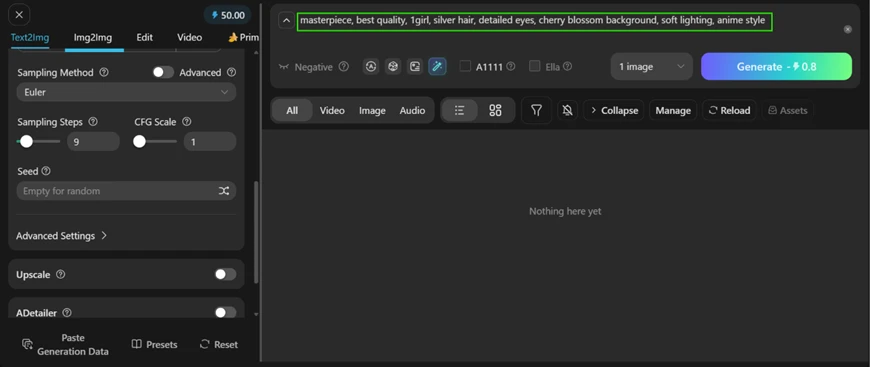
I opened the Text2Img tab and entered my prompt:
masterpiece, best quality, 1girl, silver hair, detailed eyes, cherry blossom background, soft lighting, anime style
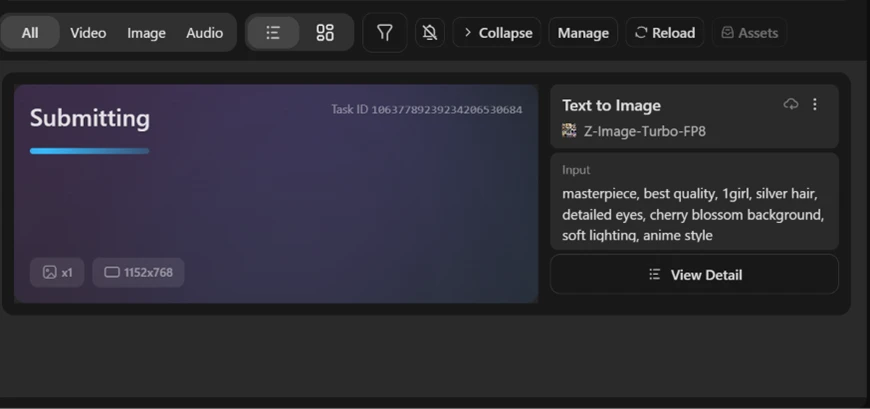
I left the sampler on Euler and kept steps low at 9. CFG stayed at 1, and I ran the Z-Image-Turbo-FP8 model at 1152x768. The Generate button quoted 0.8 credits for the job.
The task went to a cloud queue with its own ID, so nothing ran on my own hardware.
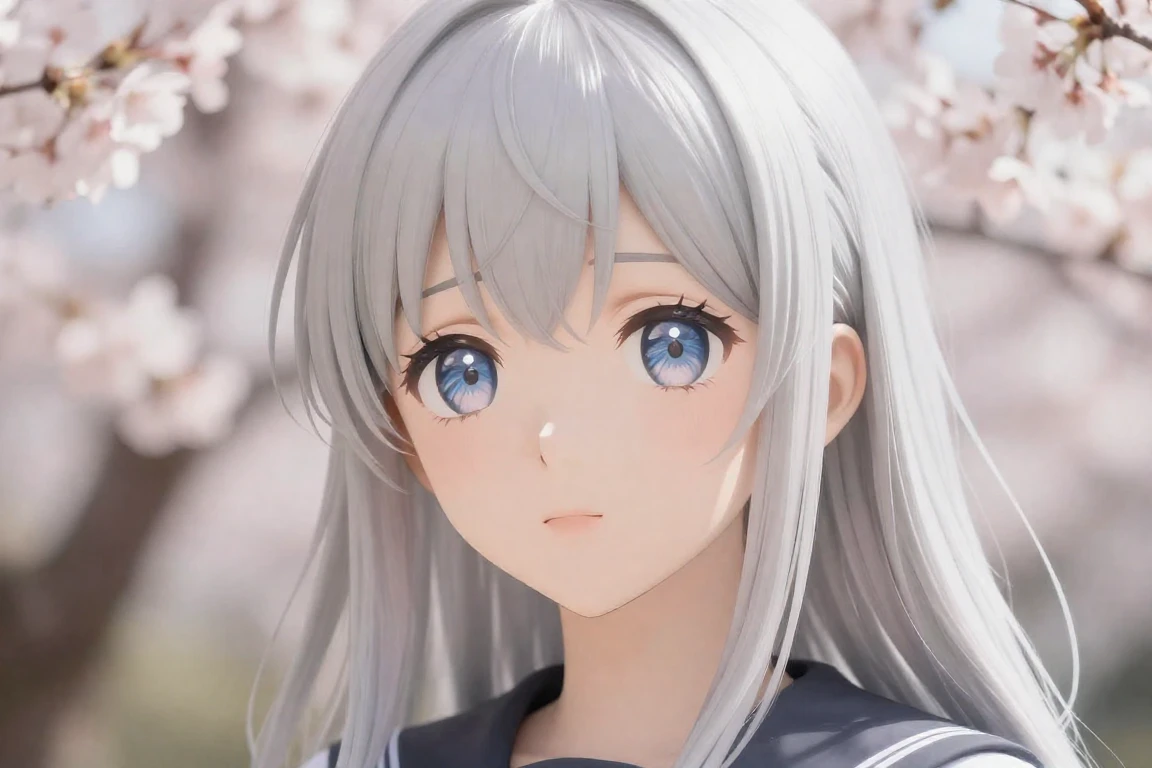
The output returned in a few seconds. The linework was clean and the eyes were sharp, with a soft blur on the cherry blossoms behind her. For an anime style request on a free turbo model, this is a result I would be comfortable showing a client.
I tested Remix next. I opened a community post that others had already remixed 56 times and clicked the Remix button.
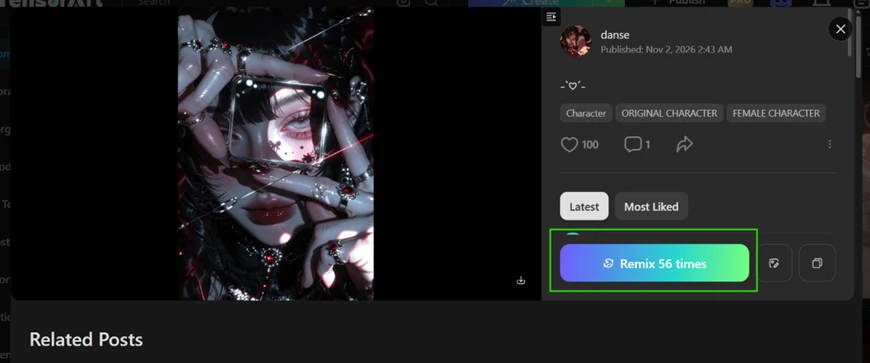
The setup loaded into my own generator on its own. The full prompt arrived with the base model (AesthetiKrea_2) and its LoRA stack, weights included, without any manual entry.
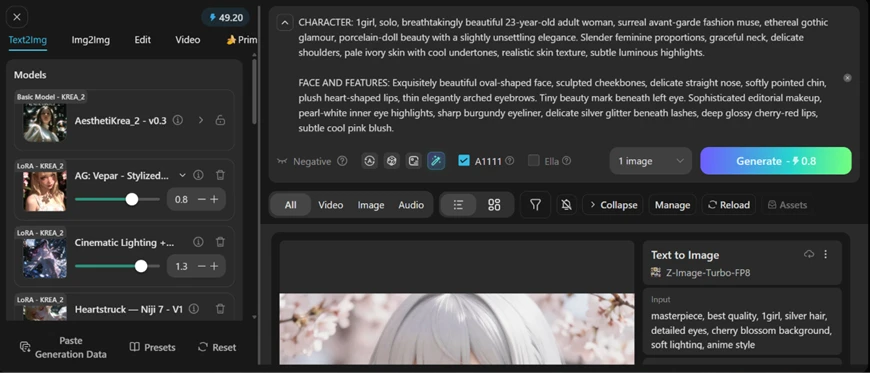
Then I generated. The result carried the original's gothic, editorial mood, but it was not an exact copy. A different seed pushed my version away from the source image.
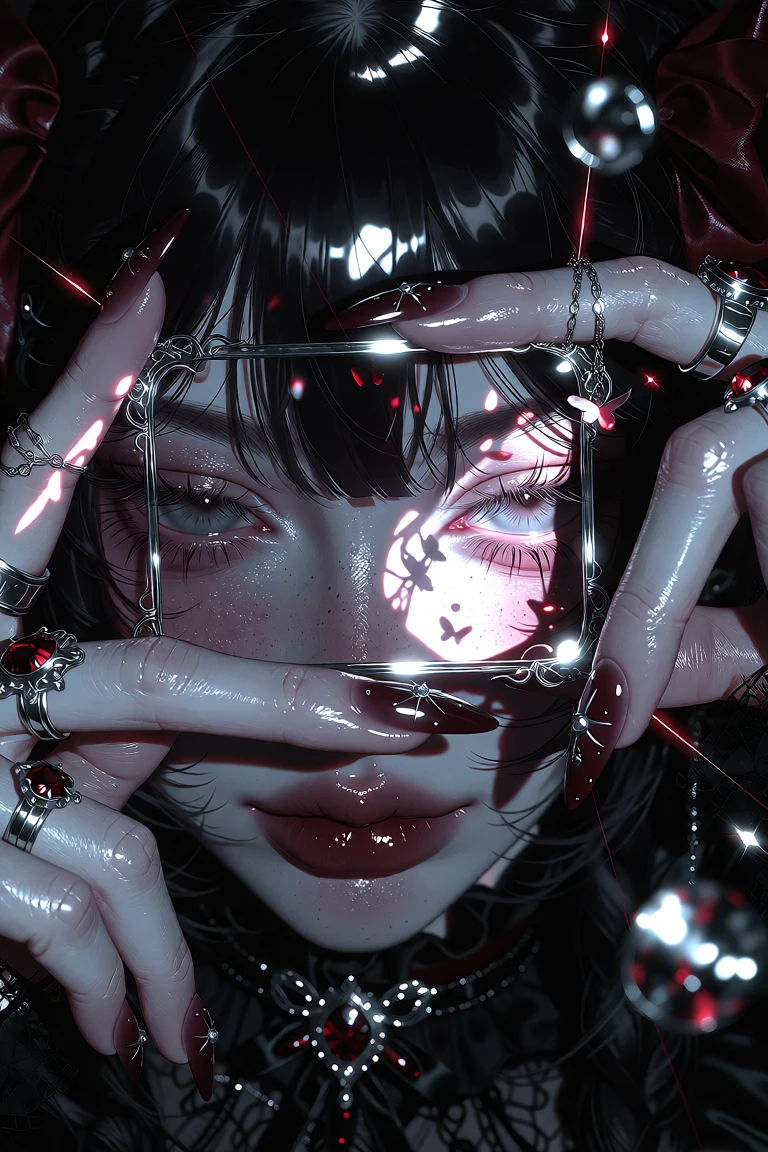
Remix copies the recipe, not the pixels, which is worth knowing before you expect a clone.
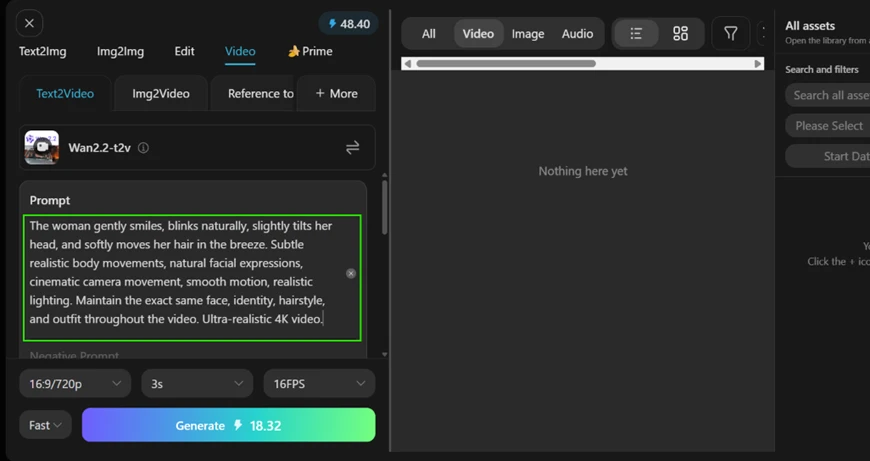
The Video tab showed the free plan at its best and its weakest in the same test. I switched to Text2Video on the Wan 2.2 model and entered:
The woman gently smiles, blinks naturally, slightly tilts her head, and softly moves her hair in the breeze. Subtle realistic body movements, natural facial expressions, cinematic camera movement, smooth motion, realistic lighting. Maintain the exact same face, identity, hairstyle, and outfit throughout the video. Ultra-realistic 4K video.
I set the clip to 16:9 at 720p and kept it to 3 seconds. The frame rate was 16 FPS. The quote came back at 18.32 credits for one short clip.
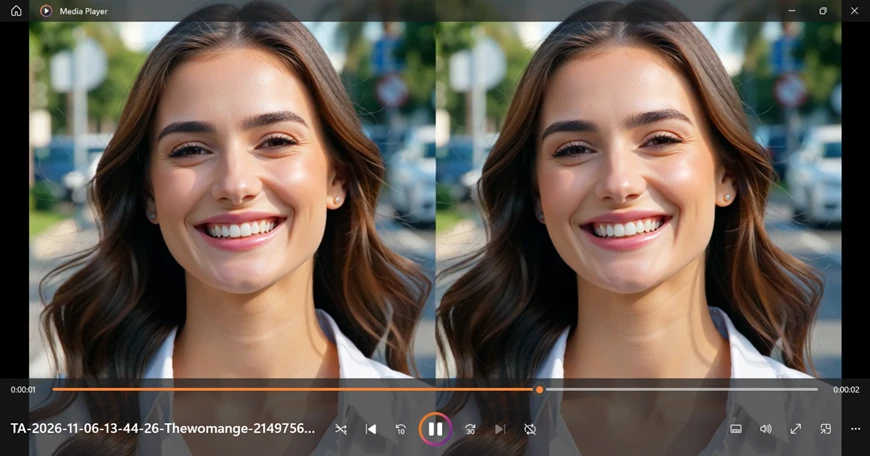
The motion itself was excellent. The blinking looked natural and the head tilt was gentle. The camera movement read as cinematic rather than stiff.
Then the flaw appeared.
The model duplicated my subject into two near-identical women side by side in one frame. My prompt had asked for a single consistent person. The output was smooth and wrong on the most basic count. The craft is present, the reliability is not.
My session made the credit math plain. One image cost 0.8 credits. One 3-second video cost 18.32. On a 50-credit daily balance, that works out to roughly two to three free videos before the account runs dry, then a wait for the next day's reset or a move to a paid tier.
| Dimension | Our test | User signal | Verdict | Composite |
|---|---|---|---|---|
| Ease of Use Clean layout and a gentle start for newcomers | 8 | 8 | Good | |
| Output Quality Sharp, detailed results on its strongest styles | 8 | 9 | Excellent | |
| Speed Quick when idle, slow at peak hours | 6 | 6 | Moderate | |
| Reliability Occasional bugs and timeouts interrupt work | 6 | 5 | Weak | |
| Model Variety One of the widest libraries available anywhere | 9 | 9 | Excellent | |
| Value Free tier covers genuine daily experimentation | 8 | 8 | Good |
Toolscopia uses cookies to keep you signed in, remember your preferences, and understand how our reviews get read. Analytics are anonymous. See our privacy policy for the full detail.






Comments 0
Join the discussion and share your perspective.
Sign in to post a comment and reply to other readers.
No comments yet
Be the first to share your perspective on this tool.