1
Text to image generation
Frequently praised for realism and creativity, though some prompts still yield unrelated or generic scenes.
Vheer is a browser-based AI image and video generator aimed at hobbyists and creators who want high quality, mostly free generations, and simple workflows, but can tolerate some prompt inconsistency, censorship, and weaker video tools.
Independent review — we test tools ourselves and analyze public user reviews. How we test.
Vheer delivers surprisingly strong image quality for a free-first tool, with many users calling it their go to generator. Ease of use, unlimited or generous free generations, and no watermark are standout advantages. However, prompt adherence is inconsistent, character likeness and text rendering often fail, and video plus image to image features lag behind the core text to image engine. Strict NSFW and artistic censorship plus credit and waiting frustrations also surface. Best for creators prioritizing free, high impact visuals over pixel perfect control or professional video work.
Vheer AI is a free, browser-based creative toolbox covering text-to-image generation, image-to-video animation, portrait generators, background removal, prompt extraction from existing images, and template styles ranging from Pixar-like artwork to tarot cards and pencil drawings, with file compression utilities thrown in for good measure. Its defining pitch is generosity: core features work without a login, and exports carry no watermarks, a rarity among free AI tools that has earned it a 4.3 out of 5 Trustpilot rating from more than a thousand users.
Image-to-video is its strongest suit, animating still photos into short, loopable clips suited to TikTok, Reels, and quick promos, while a Pro subscription adds faster generation and higher resolution. The honest limits: clips stay short and stylized, complex motion can warp or look unnatural, and output is silent, so audio needs a separate editor. That makes Vheer a fit for hobbyists, students, bloggers, and social media creators experimenting freely, not teams chasing cinematic production values.
Frequently praised for realism and creativity, though some prompts still yield unrelated or generic scenes.
Users like stylistic variations but criticize poor character likeness and occasional gender or identity mismatches.
Appreciated as free, yet often inaccurate in movement and weaker than image output according to several reviews.
Highlighted as making prompts clearer and delivering visibly better visuals after enhancement.
Widely celebrated, enabling unlimited or generous generations for students and creators without branding.
Regularly described as easy, user friendly, and suitable for first time AI image users.
Criticized for heavy restrictions that block certain artistic or NSFW expressions and specific prompt words.
Some tools like text behind image and sample text replacement frequently fail to apply requested wording.
Quality mode produces impressive images, though still struggles with hands and small anatomical details.
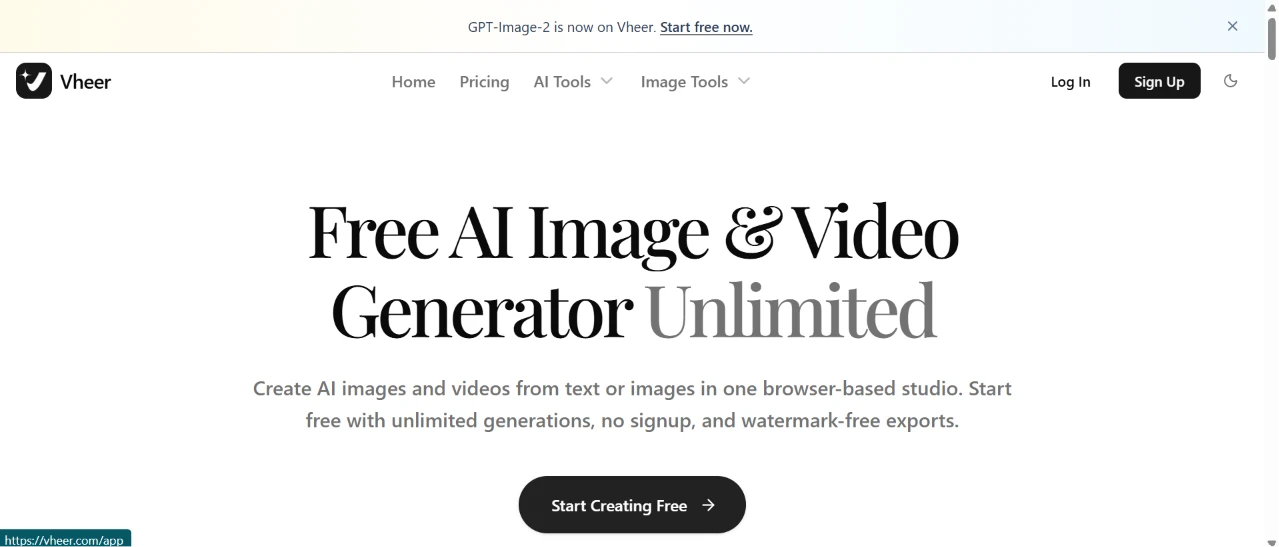
I opened the site without an account first, just to see what I was being promised. A banner ran across the top pushing a new model, and under the hero heading the page told me I could start free with unlimited generations, no signup, and watermark-free exports.
The claim I latched onto was the no signup part, since I ended up making an account anyway before I could reach anything useful. Nothing was broken here. The page loaded quickly and the Start Creating Free button sat where I expected it.
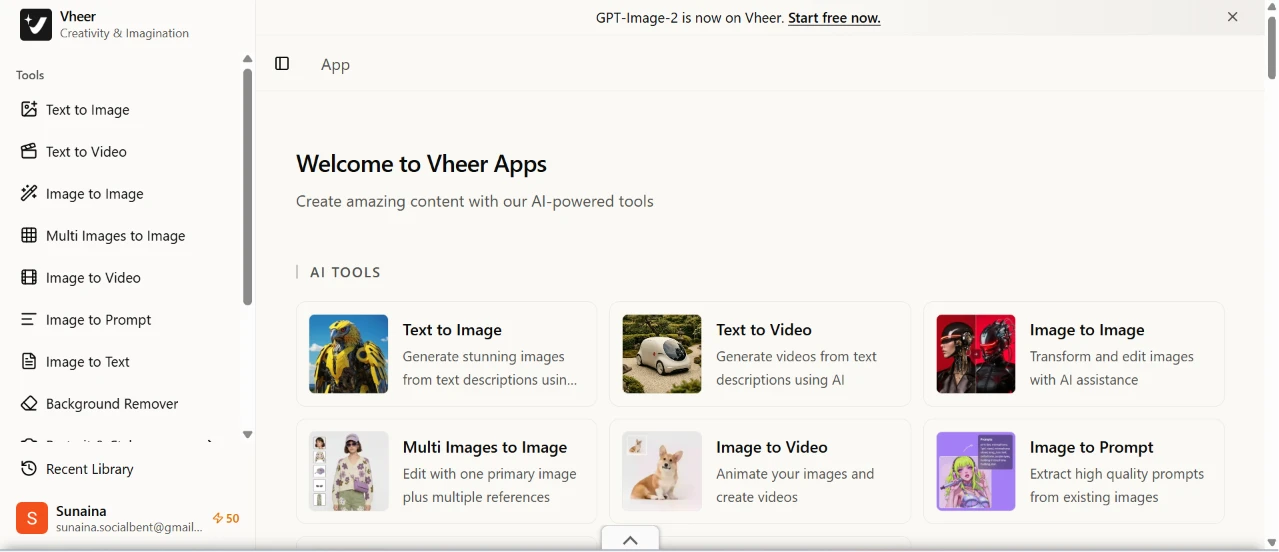
Once I logged in I landed on a dashboard with every tool stacked down the left rail and the same tools repeated as cards in the main panel. My balance showed 50 credit points next to my email in the bottom corner.
Two things stood out immediately. The credit counter is small and tucked into the corner where I nearly missed it, and the sidebar duplicates the card grid, so the screen carries the same set of links twice with nothing extra added the second time.
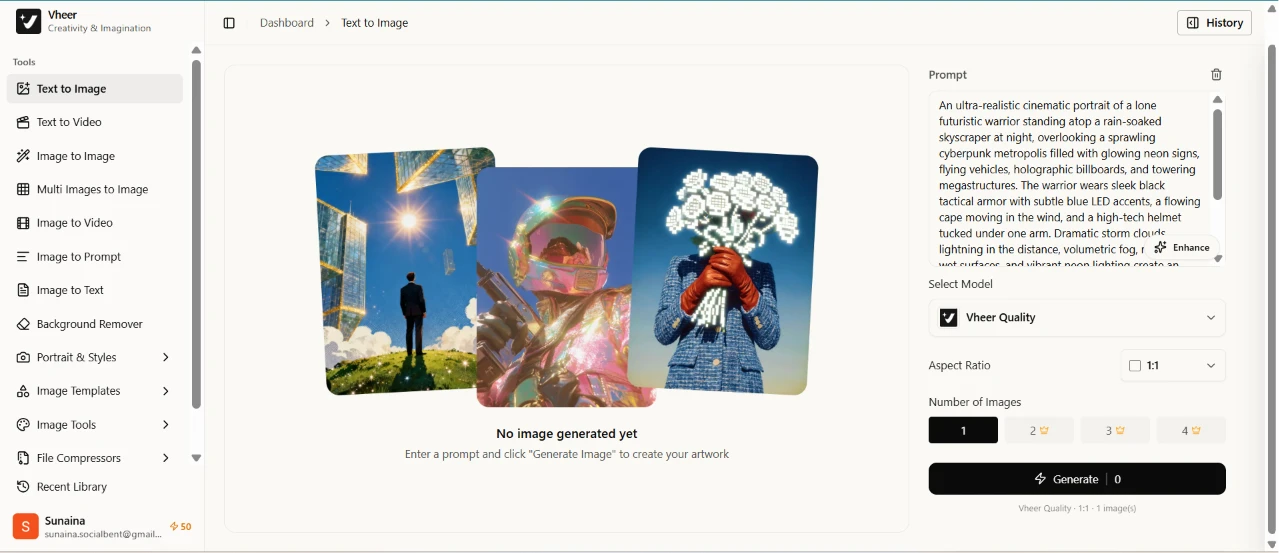
I went to Text to Image and pasted in a long prompt about a futuristic warrior on a rain-soaked skyscraper above a cyberpunk city. For the model I picked Vheer Quality, because it was the one that cost nothing. Anything else on that dropdown would have started eating my credits. Aspect ratio 1:1, one image.
The prompt box holds about six lines before it starts scrolling, so most of what I wrote vanished into a scroll well and I could not read it back without dragging through it. What I did appreciate is that the Generate button prints the cost on its own face. Mine read 0, so I knew the run was free before I committed to it.
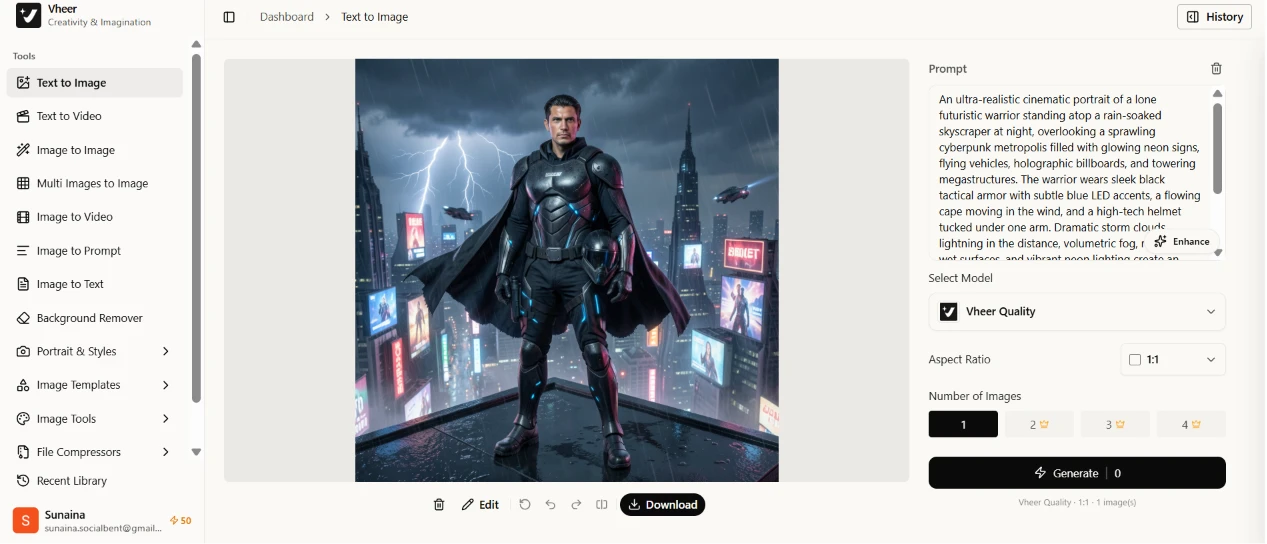
About a minute later the image appeared in the preview panel with edit, undo, and download controls under it.
It caught most of what I asked for. The armor came back black with blue LED lines, the cape is caught mid-movement, the helmet is tucked under one arm, and the rooftop is wet enough to throw reflections back at the neon. The face is the weak spot, a little waxy across the cheeks. Every billboard in the background carries invented lettering that reads as nothing at all.
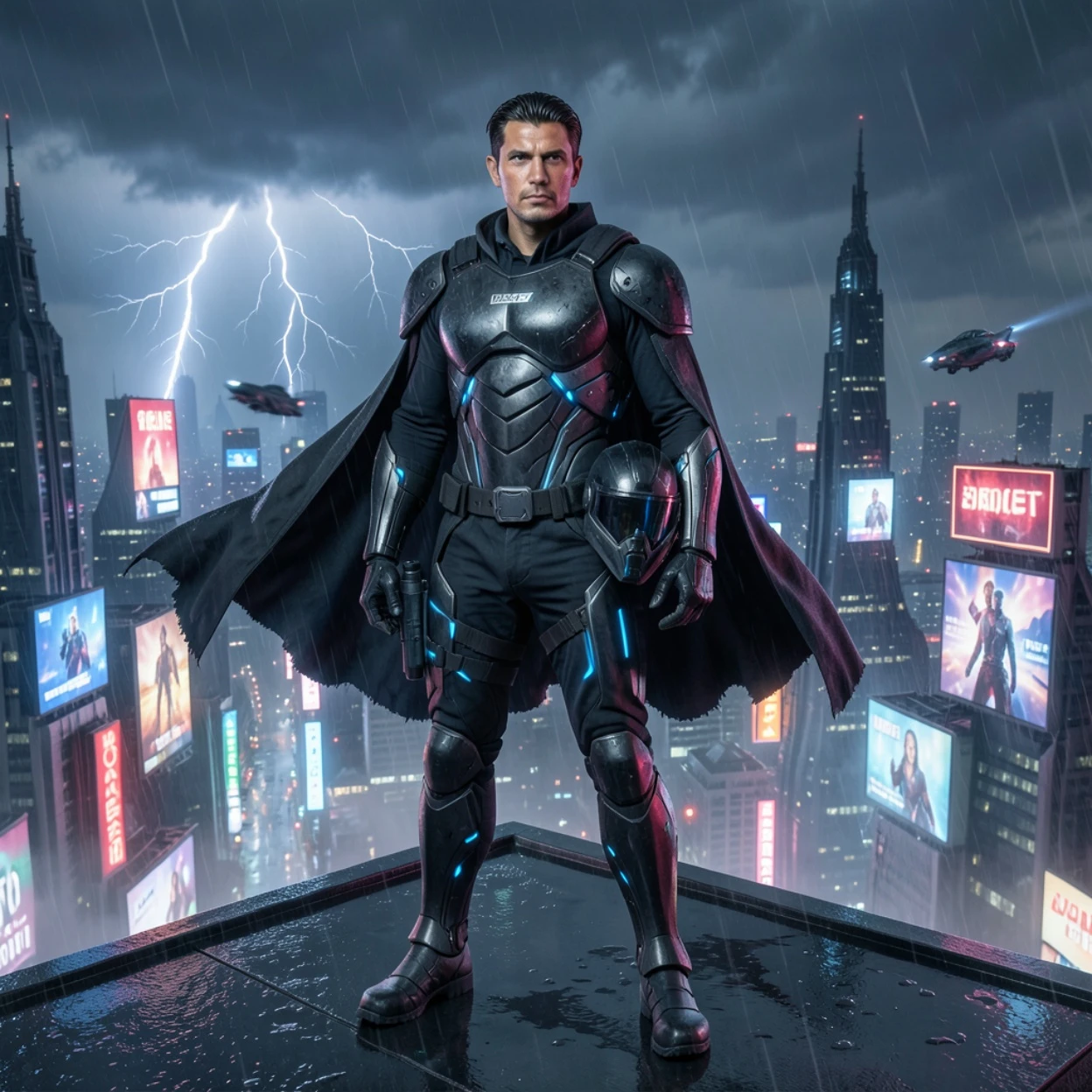
I downloaded it to see what actually lands on disk. Square, 1248 by 1248, and no watermark anywhere on it, which matched what the homepage advertised.
At full size the armor plating and the falling rain hold up better than I expected from a free tier. The helmet under his arm is the giveaway. Enlarged, it never quite resolves into an object with a front and a back.
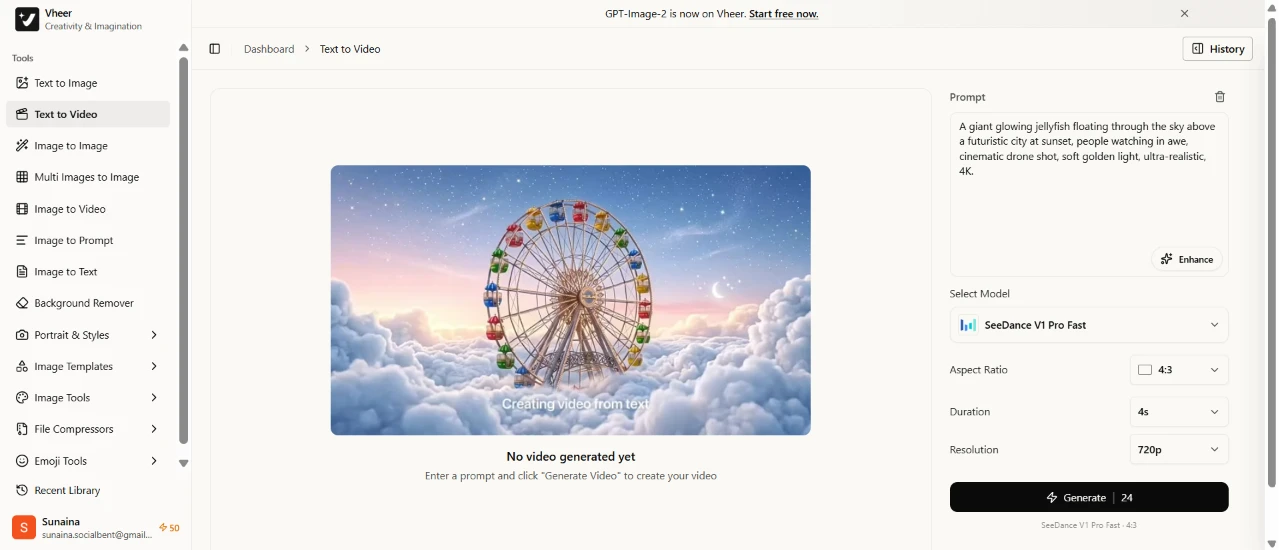
Next I moved to Text to Video and asked for a giant glowing jellyfish drifting over a futuristic city at sunset. SeeDance V1 Pro Fast, aspect ratio 4:3, duration 4 seconds, resolution 720p.
The Generate button now read 24. Four seconds of video was about to cost 24 of my 50 credits, so I could afford this run and roughly one more before I ran dry. A looping ferris wheel animation played in the preview area while I set everything up, which I briefly mistook for something I had made.
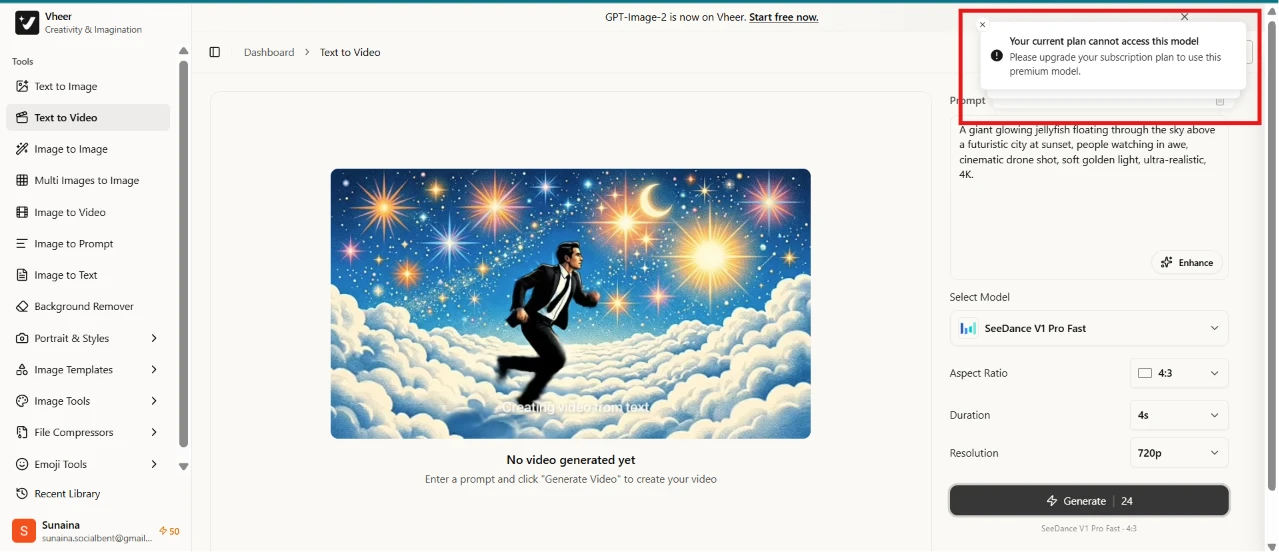
I clicked Generate and a red-bordered warning appeared in the top corner telling me my current plan cannot access this model and that I should upgrade my subscription to use premium models.
This was the most frustrating moment of the whole session. My balance was fine at 50 credits against a stated price of 24. The plan was the thing standing in the way, not the arithmetic. I went back through the model dropdown afterwards and every video model listed there was gated the same way, which makes the price printed on the Generate button actively misleading. Quoting me a credit cost for something I am not permitted to run set me up to fail before I pressed anything.
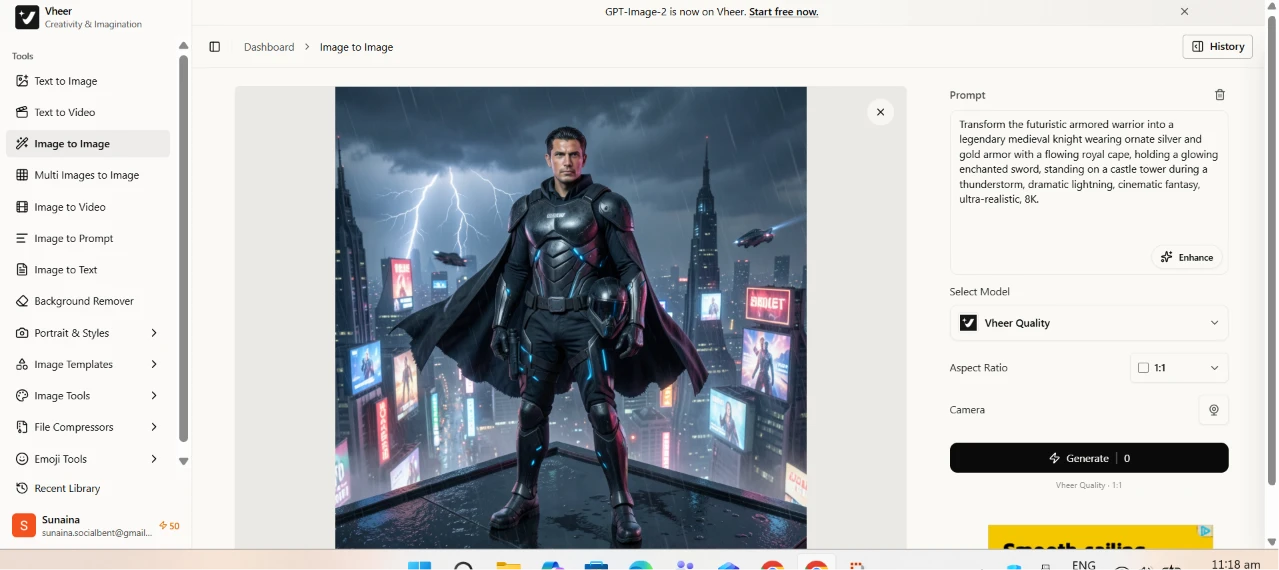
I loaded the warrior I had already generated into Image to Image and asked for him to become a medieval knight in ornate silver and gold armor on a castle tower during a thunderstorm. Vheer Quality again, aspect ratio 1:1.
Cost showed 0, so the free model carries across to this tool as well. The panel is laid out identically to Text to Image, which meant there was nothing new to learn before I could use it.
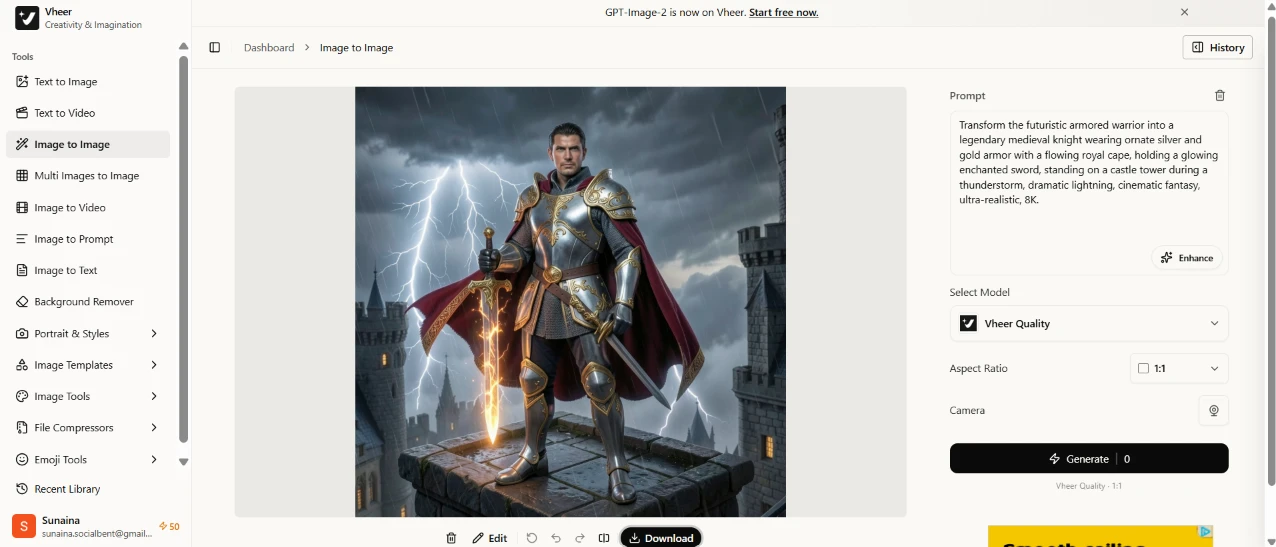
Roughly another minute of waiting.
The knight came back in engraved silver and gold plate with a crimson cape and a sword glowing orange down the length of the blade, castle towers behind him and lightning splitting the sky on the left. The scene swap is complete. Nothing cyberpunk survived into the frame.
The surprise was the face. It kept the same man from my first image almost exactly, which I never asked it to do.
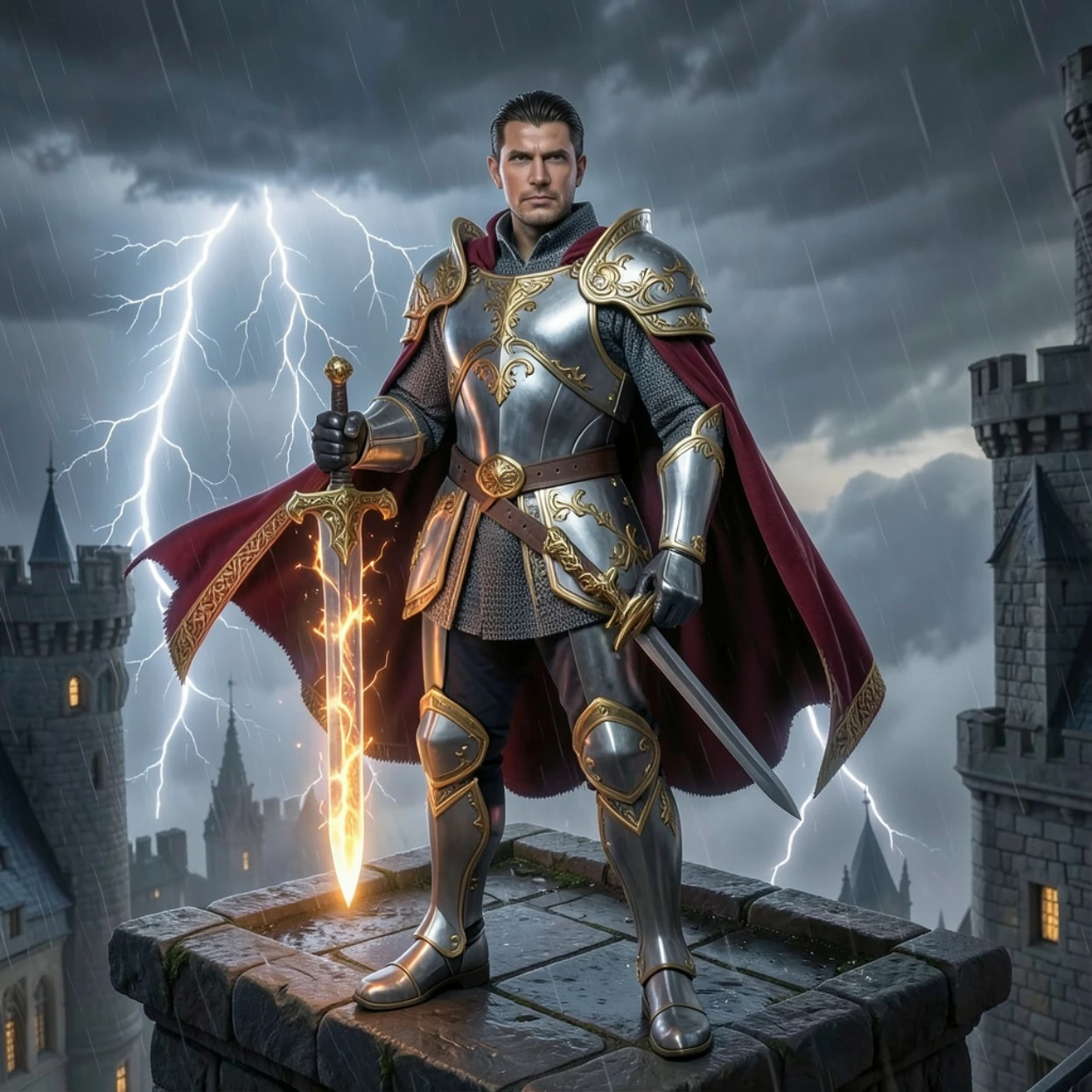
Clean download again, square, same 1248 pixels. Chainmail at the collar, rivets across the pauldrons, gold filigree worked into the breastplate, wet stone underfoot.
The sword is what gives it away at full size. It glows like a layer dropped on top of the picture rather than a light source doing anything to the armor beside it.
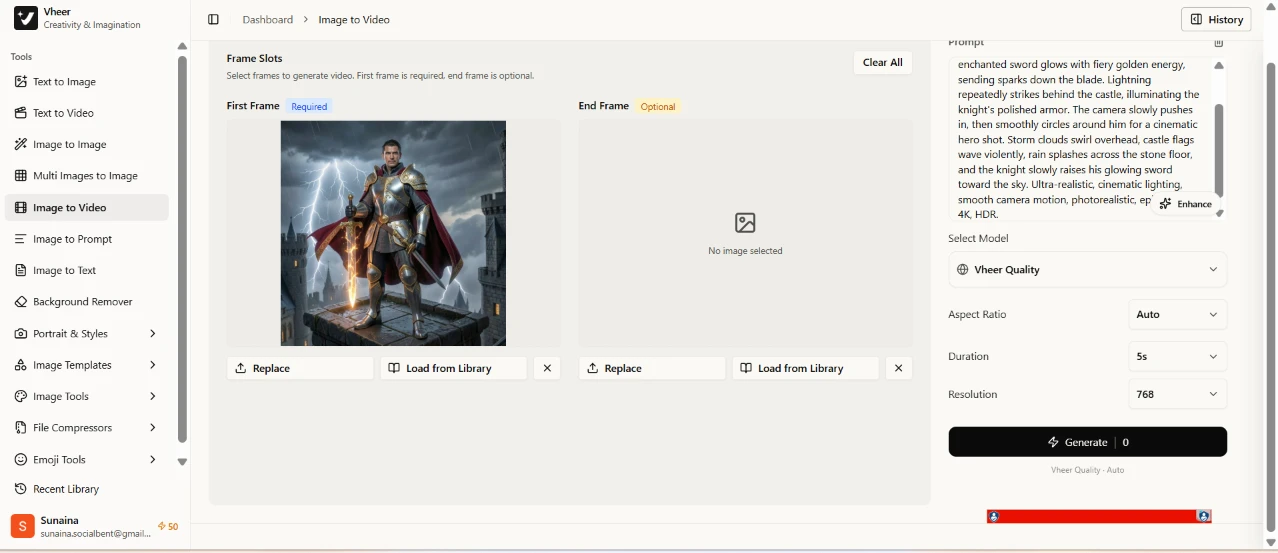
For Image to Video the top of the screen splits into two frame slots, first frame required and end frame optional. I loaded the knight into the first and left the second empty. Vheer Quality, aspect ratio on Auto, duration 5 seconds, resolution 768.
Cost showed 0. That is the part I could not reconcile. Video was locked behind a subscription over in Text to Video, yet the same account on the same plan was about to make a video here for nothing.
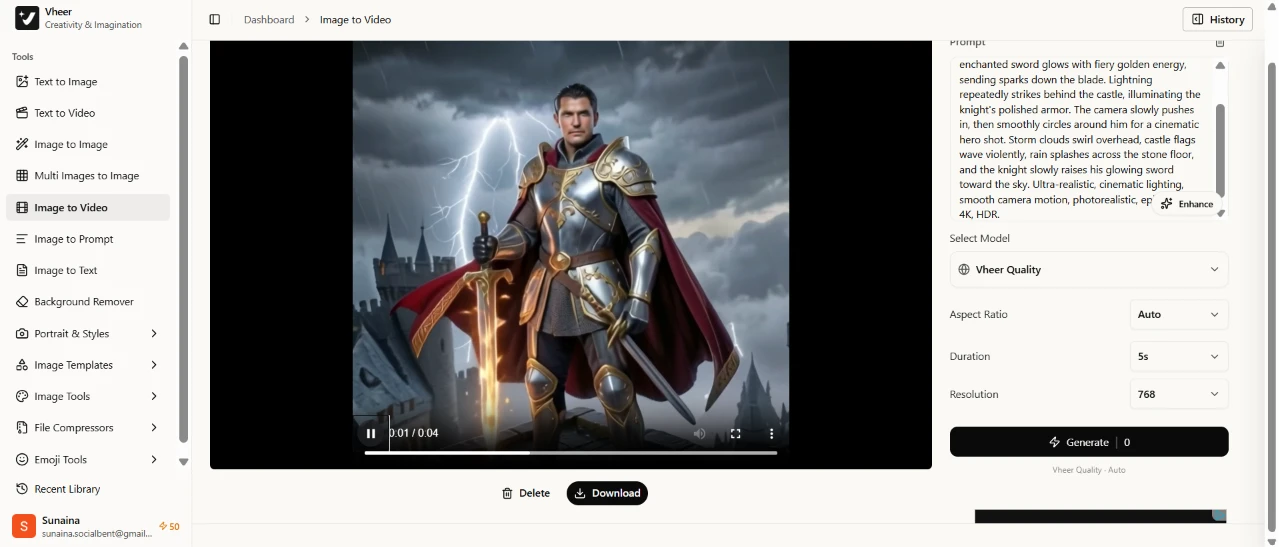
Two minutes this time, roughly double what the images took. The clip plays back inside the panel with a Download button under it.
I set the duration to 5 seconds and the player reads 0:04 as the total length, so that setting did not carry through. The motion is cautious. His cape shifts and the rain keeps falling, and the camera pushes in a fraction before settling. The circling hero shot I described in the prompt never happened.
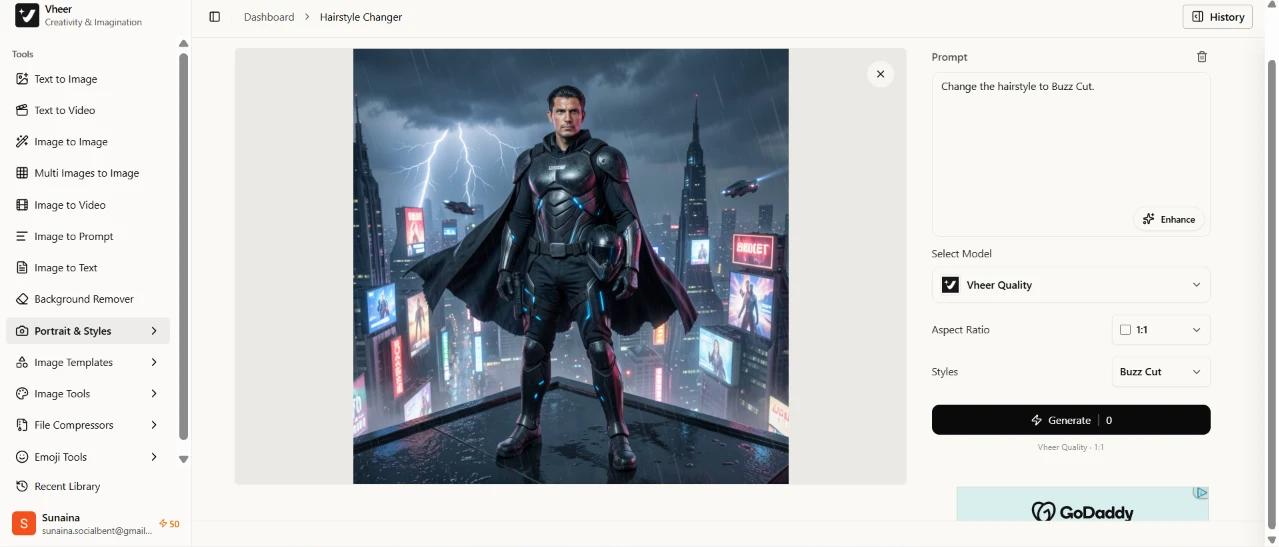
I went into Portrait and Styles for the Hairstyle Changer, loaded the cyberpunk warrior back in, set the style dropdown to Buzz Cut, and typed Change the hairstyle to Buzz Cut into the prompt box. Vheer Quality, aspect ratio 1:1.
Typing that felt redundant. There is a dropdown that already names the style and a prompt box asking for the same instruction in words, and nothing on screen tells me which one takes priority if the two disagree. A GoDaddy ad also sat at the bottom of the settings column, parked directly under the Generate button.
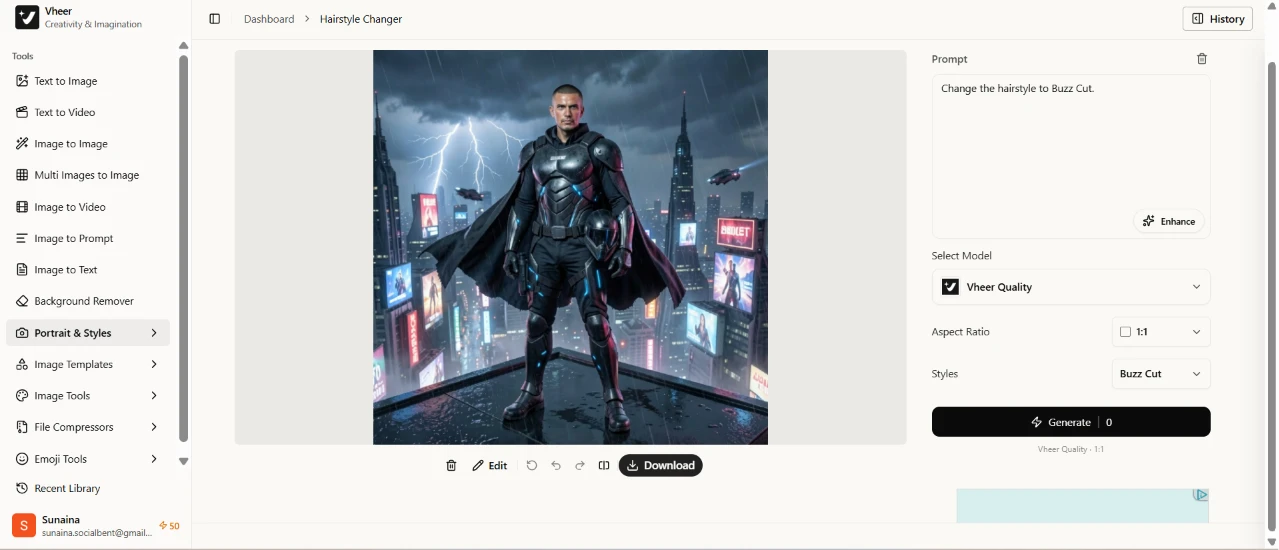
A minute later, the haircut was done.
The rest of the frame survived the edit. Same rooftop, same billboards, same armor colour, same wide stance. Looking at it in the preview I could already tell it had touched more than the head.
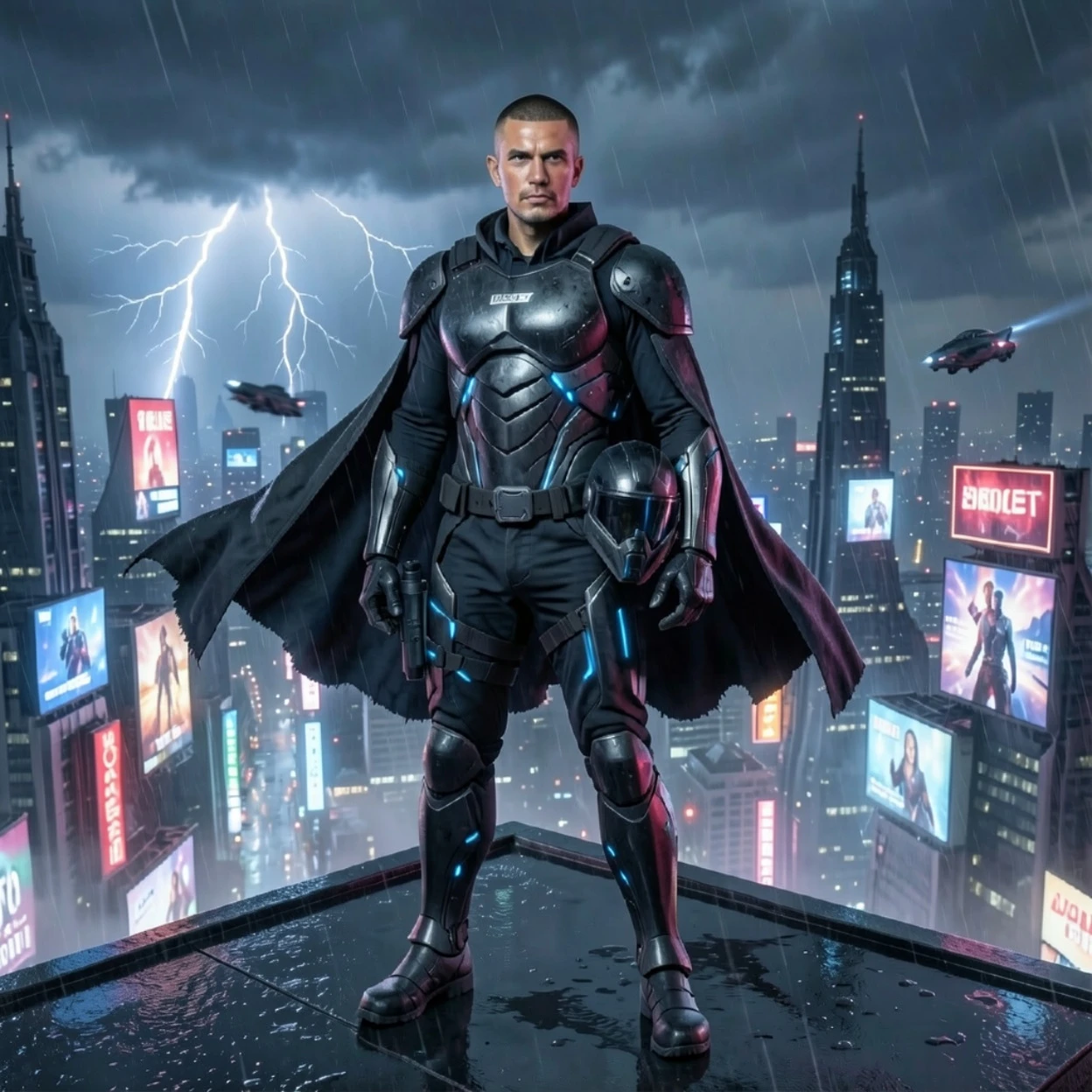
At full size that became obvious. The framing pulled back, so there is more roof at the bottom edge and more sky above him than the original had. His cape hangs in a different shape. The chest harness picked up extra straps that were not there before, and the helmet under his arm changed shape yet again.
So the tool is not editing hair on top of my picture, it is regenerating the entire image and holding it close to the original. His face came back softer and rounder than the first pass, which is a strange thing to inherit from a request about hair.
| Dimension | Our test | User signal | Verdict | Composite |
|---|---|---|---|---|
| Image Quality Realism and visual fidelity | 8.5 | 9 | Excellent | |
| Prompt Accuracy How closely outputs match prompts | 6.5 | 6 | Moderate | |
| Ease of Use Learning curve and interface clarity | 9 | 9.5 | Excellent | |
| Value for Money Free access and pricing fairness | 9 | 9.5 | Excellent | |
| Video Generation Motion realism and coherence | 6 | 6.5 | Moderate | |
| Reliability and Consistency Bugs, failures, and repeatability | 6.5 | 7 | Moderate | |
| Policy and Censorship Freedom within content guidelines | 6 | 6 | Moderate |
Toolscopia uses cookies to keep you signed in, remember your preferences, and understand how our reviews get read. Analytics are anonymous. See our privacy policy for the full detail.






Comments 0
Join the discussion and share your perspective.
Sign in to post a comment and reply to other readers.
No comments yet
Be the first to share your perspective on this tool.